


Press release
The Little Things I Learned After Using WPS Office for a Few Weeks
But that's not what happened.
A few weeks later, I realized that WPS Office hadn't just helped me finish that one urgent task. It had quietly, almost invisibly, made my entire workflow smoother. And the funniest part? I didn't notice this all at once. It happened in tiny steps - the kind you only recognize when you look back and think, "Wow... I'm actually working differently now."
At the beginning, I used it only for basic stuff:
typing documents, fixing formatting, exporting PDFs, reviewing feedback.
Nothing complicated. I didn't go exploring menus or settings.
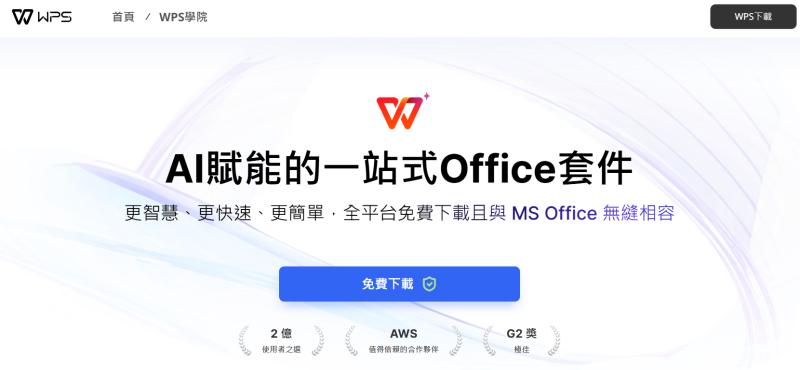
Then one night - completely by accident - I clicked into the "WPS Academy" section on the official WPS Office website (中文官网). I was tired, half-focused, and honestly thought it was just a help page with a list of FAQs.
But instead of boring manuals, I found a collection of short tutorials, practical guides, and tiny tricks that actually changed the way I used the software.
The first thing that caught my eye was a simple shortcut: Ctrl + Tab to switch between documents.
I don't know how I had used office software for years without learning this, but once I tried it, I never went back. It's tiny, almost silly - but when you switch files dozens of times while editing, the time saved becomes very real.
Then I came across a post about the File Repair tool.
A few days earlier, one of my reports had refused to open because the file was partially corrupted. I had rewritten part of it manually, completely unaware that WPS Office actually had a built-in repair function.
When I tried it, it restored almost the entire document. I remember laughing - not because it was funny, but because I realized how much stress I could've avoided if I had known earlier.
That moment made me curious, so I started exploring more.
I found the template center - honestly, another hidden gem.
There's an invoice template I now use every week, a budgeting sheet I modified for my personal finances, and a slide presentation template that instantly makes my decks look polished. I'm not a designer, and I've always struggled with spacing and alignment. Having clean templates felt like having a silent assistant who takes care of design while I focus on content.
But the more I used WPS Office, the more I appreciated the details.
The interface is simple but thoughtful.
Menus aren't overwhelming.
Buttons are where you expect them to be.
Features load fast.
The cloud sync is quick and doesn't interrupt your flow.
And the version history? A lifesaver.
It's not trying to be flashy or overly sophisticated.
It's trying to be helpful - and it shows.
One day, while browsing WPS Academy again, I discovered a guide on multi-document editing. It explained how to open several files at once and work across them without constantly switching windows. This feature became incredibly useful when comparing drafts or consolidating multiple sources into a single document. I used it once, liked it, used it again, and before I knew it, it became part of my routine.
Then I found Focus Mode.
It hides menus and toolbars, leaving only your document in front of you. I didn't think I needed it until I actually tried it during a heavy writing session. Suddenly, the screen felt calmer. My thoughts were clearer. The page felt larger, cleaner - like a blank canvas. It's a subtle change, but it makes writing surprisingly easier.
And then there's auto-save - something I didn't think much about until I needed it. A sudden power cut one afternoon made my laptop shut down instantly.
I opened WPS Office later expecting the worst.
But there it was - my document, almost exactly where I left off.
Moments like that quietly build trust.
Same with version history.
Being able to roll back a document to an earlier draft without stress makes you work more confidently. You edit more boldly. You experiment more instead of tip-toeing around the "save" button.
After a few weeks, something had changed:
I wasn't fighting my tools anymore.
I wasn't wasting time reopening frozen files.
I wasn't panicking over lost progress, broken formatting, or corrupted documents.
My work felt smoother, lighter, calmer.
But what truly impressed me was how much ongoing learning I got from WPS Academy.
Every few days, new tutorials appear - quick, simple, genuinely useful.
They cover things like:
• shortcuts most people overlook
• layout tips for clean documents
• smart ways to review feedback
• PDF editing tricks
• template customization
• cloud sync workflows
• better ways to structure reports or presentations
These aren't corporate marketing pieces.
They're more like advice from someone who's been there, tried things, and wants to share what they learned. I often read them during coffee breaks - half out of curiosity, half out of procrastination - but I always walk away with something that makes my work a little smoother.
One article taught me how to clean up messy formatting with a single click.
Another explained how to merge comments from different drafts into a clean version.
Another showed how to set quick-access styles so your document stays consistent without hours of manual tweaking.
Each trick is tiny, but together they make a real difference.
And that's when it hit me:
This isn't just office software.
It's a workflow - a quieter, smoother, more organized way of working.
So if you're new to WPS Office, I really recommend exploring not just the app itself but also the tutorials on the official https://platform-wps.cn/ page.
They're short, free, and written in a way that actually makes sense.
You'll probably learn small things that make a big difference - the kind that save your time, protect your files, and reduce your stress.
Because productivity isn't only about big features or flashy upgrades.
Sometimes it's about all the small, almost invisible improvements that stack up quietly in the background - the things that help you move through your workday without friction.
And for me, that's exactly what WPS Office has become:
not just another app on my laptop,
but a calmer, smoother, more reliable way to work -
a tool that feels like it understands what real people actually need.
Media Details:
Azitfirm
7 Westferry Circus,E14 4HD,
London,United Kingdom
---------------------
About Us:
AZitfirm is a dynamic digital marketing development company committed to helping businesses thrive in the digital world.
This release was published on openPR.
Permanent link to this press release:
Copy
Please set a link in the press area of your homepage to this press release on openPR. openPR disclaims liability for any content contained in this release.
You can edit or delete your press release The Little Things I Learned After Using WPS Office for a Few Weeks here
News-ID: 4274367 • Views: …
More Releases from IQnewswire

LeadTruffle Launches AI-Powered Yelp Auto Responder for Home Service Businesses
LeadTruffle [https://www.leadtruffle.co/yelp-auto-responder/] is pleased to announce the launch of its AI-powered Yelp auto responder, built specifically for home service contractors who lose leads due to slow response times.
LeadTruffle is an AI lead management platform serving plumbers, HVAC technicians, electricians, roofers, cleaners, and over 20 other home service trades across the United States. The new Yelp auto responder connects to a business's Yelp account and replies to incoming leads in under…

Dog Boarding Miami: What is Going On in the City?
if you've searched dog boarding miami lately, you've probably noticed something: options are growing, prices are shifting, and the "standard kennel stay" is no longer the only model in town.
Why Dog Boarding Miami Demand Has Surged
The rise in dog boarding miami (https://fitandgopets.com/pages/boarding) isn't random, it's tied to how the city moves. Miami's travel-heavy lifestyle, seasonal visitors, events calendar, and condo living all push pet parents toward reliable overnight care.…

Dog Daycare Cost: What You Need to Know
Understanding dog daycare cost helps you plan care without surprise add-ons or mismatched expectations. Daycare has become a go-to option for busy pet parents who want exercise, social time, and structure built into the week. But pricing can feel inconsistent across providers. This guide explains real cost drivers, what's included, and how to choose a daycare that fits your dog and lifestyle.
What Influences Dog Daycare Cost the Most
When comparing providers,…

Hypoallergenic Formula: A Guide to Milk Allergy Solutions
For many new parents, the first few months of a baby's life are filled with discovery, but they can also be filled with worry. If your little one is struggling with unexplained fussiness, skin rashes, or digestive distress, you might be dealing with more than just "colic." These are often the first signs that a baby's immune system is reacting to the proteins in standard cow's milk. When this happens,…
More Releases for WPS
WPS Office for PC: Multilingual Support
WPS Office is a powerful and feature-rich office suite offering a wide range of functions to meet both personal and professional needs. With both free and paid versions, WPS has become one of the most popular alternatives to WPS Office. Users worldwide are seeking WPS download https://www.wps-win.com/desktop , especially Chinese versions, to meet their productivity needs. Whether you're looking for a complete Chinese office suite or simply a reliable tool…
Microsoft Office 2025 Update: Features, System Requirements, and How WPS Compete …
Have you ever wondered if it's finally time to upgrade your Office suite? If you've been using Microsoft Office for years, you probably depend on it for everything from reports to presentations. The latest version gives that familiar experience a significant refresh.
You'll see smarter AI that feels like a real assistant, better collaboration tools that make group work smoother, and a cleaner, faster design across every app, including Word, Excel,…
WPSchoolPress Announces WPS LMS Add-on for Online Learning
WPSchoolPress is the premier WordPress-based school management system, and it is delighted to introduce its latest Social Posts Add-on that will improve communication and interaction amongst schools, teachers, students, and parents.
The WPS LMS Add-on builds on the key characteristics of WPSchoolPress by providing schools with a streamlined digital learning content sharing and student progress evaluation solution. There are three main components of this add-on, which are Lessons, Questions, and Quizzes.
Top…
Office Software Market Is Booming Worldwide | Microsoft, Corel, Google, Kingsoft …
Global Office Software Market Growth (Status and Outlook) 2022-2027 is latest research study released by HTF MI evaluating the market risk side analysis, highlighting opportunities and leveraged with strategic and tactical decision-making support. The market Study is segmented by key a region that is accelerating the marketization. The report provides information on market trends and development, growth drivers, technologies, and the changing investment structure of the Global Office Software Market.…
Collaborative Software Market Is Booming Worldwide | Google Docs, Alibaba, WPS C …
The “Collaborative Software Market Growth (Status and Outlook) 2021-2026” Study has been added to HTF MI database. The market Study is segmented by key a region that is accelerating the marketization. The study is a perfect mix of qualitative and quantitative Market data collected and validated majorly through primary data and secondary sources. Some of the key players considered in the study are Google Docs, Microsoft, Atlassian, Salesforce.com, Alibaba, WPS…
Automotive Whiplash Protection System (WPS) Market
Whiplash has become a very common injury that occurs to the neck and head due to the sudden acceleration and deceleration force, especially in the vehicle. Hence, increasing number of vehicles are implementing whiplash protection system in their car models to offer better safety.
Manufacturers are developing anti-whiplash seats for the cars to minimize neck injury owing to the rapid movement. Key market players are also integrating sensing systems in the…

