


Press release
iSOS by TechSOS Documents Clinical-Level iPhone Hardware Repair Across Apple's Complete Device Range - From A9 Silicon Through A18 Pro
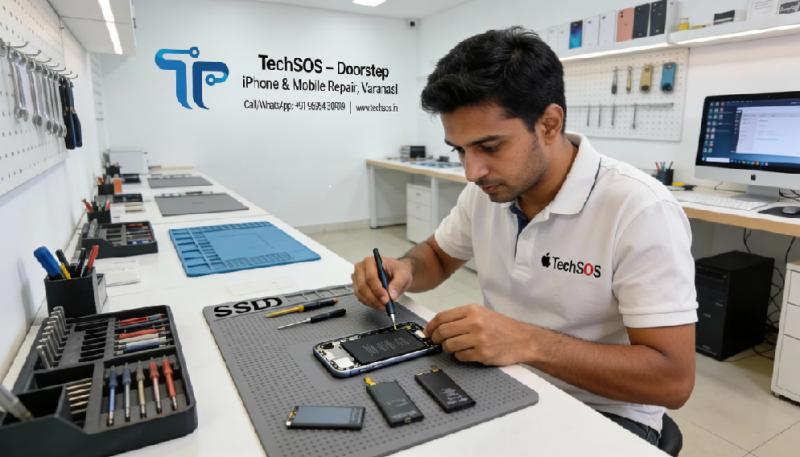
isos-by-techsos-iphone-repair-in-varanasi
iSOS, the dedicated iPhone and iPad repair division of TechSOS operating from Js Market, Ghugrani Gali, Dalmandi Road, Varanasi 221001, has published a detailed technical case record documenting component-level repair outcomes across Apple's iPhone lineup from the iPhone 7 through the iPhone 16 Pro Max. The cases span five years of bench work and represent the categories of iPhone hardware failure that general repair shops consistently decline, misdiagnose, or address incorrectly - logic board failure producing complete device death, Face ID system failure following incorrect screen replacement, baseband and RF subsystem failure causing cellular service loss, and application processor thermal and connectivity failures producing performance degradation and system instability.
The release is intended as a factual account of what microscopic-level iPhone repair looks like in practice: the diagnostic methodology, the specific silicon components involved, the repair technique required, and the outcome for the customer. It is also an acknowledgement of a structural problem in how iPhones are serviced outside Apple's authorised network in Indian secondary cities - a problem that iSOS was specifically established to address.
Apple's device architecture differs from Android in one technically significant respect: every major internal component is cryptographically paired to the iPhone's logic board through the Secure Enclave processor at the point of manufacture. Replacing a display, camera module, or battery without understanding these pairings - and without the tools required to manage them correctly - produces new failures that did not exist before the repair began. This is not a theoretical risk. It is the most common complaint iSOS receives from new customers: an iPhone that arrived at a previous shop with one problem and left with two.
The cases below document the failures iSOS was built to resolve, and the methodology by which it resolves them.
The division holds a 4.9-star rating across 515 verified customer reviews and operates under a No Fix, No Fee guarantee with a 3-month comprehensive warranty on all completed repairs.
________________________________________
The Diagnostic Framework
Every case in this document followed an identical initial sequence regardless of the presenting symptom. A precision bench power supply with milliamp-resolution current monitoring was connected to the device's battery terminals via a specialised iPhone battery connector bypass cable, allowing current draw characterisation without requiring the battery to be functional. The resulting current draw profile - the exact current consumed at each voltage step during a power-on attempt - provides the primary non-destructive indicator of the fault category before any component is physically disturbed.
A zero-draw profile indicates a complete open circuit in the power-on path: the PMIC is not receiving its enable signal, the battery connector is open, or the power button circuit has failed. A high-draw profile above approximately 0.5 amperes at battery voltage indicates a short circuit on a power rail, localised through subsequent thermal imaging. A draw profile within the normal range for the device model but without successful boot indicates a software, storage, or processor fault rather than a power architecture fault.
Following current draw characterisation, a FLIR thermal imaging camera maps heat distribution across the board within seconds of controlled voltage application, identifying shorted or anomalously dissipating components through their thermal signatures. Schematic-referenced circuit analysis using Apple board-level technical documentation then traces the identified fault through the circuit topology before any rework begins. No component in the cases below was replaced on a substitution basis.
________________________________________
FACE ID REPAIR - TECHNICAL CASE DOCUMENTATION
The Architecture of the Problem
Face ID, introduced with the iPhone X in 2017 and present across every subsequent iPhone model above the iPhone SE, depends on the TrueDepth camera system: a precisely calibrated array of optical components comprising the dot projector, flood illuminator, infrared camera, and proximity sensor. These components are housed in the display assembly but are not part of the display panel itself - they are a separate sensor module connected to the logic board through their own flex cable harness.
Apple cryptographically pairs the TrueDepth sensor array to the logic board through the Secure Enclave processor during manufacturing. The pairing is encoded in the Secure Enclave's protected memory and binds the specific sensor assembly to the specific board such that substituting either component without Apple's proprietary pairing tools produces a device that reports "Face ID is not available" and cannot be reconfigured through any software means.
This architecture has a specific consequence for repair: a technician who replaces the iPhone display without correctly transferring the TrueDepth sensor assembly - or who damages the sensor flex cable during transfer - produces a device with permanently lost Face ID. The display functions normally. Every other feature functions normally. Face ID is gone.
iSOS was established in part because this outcome is, in Varanasi's repair market, not an exception. It is routine.
________________________________________
Case Reference: ISOS-FID-001 Device: iPhone 15 Pro. Presenting symptom: "Face ID is not available" error since screen replacement performed at a different Varanasi repair shop fourteen days prior to presentation. Touch, display quality, and all other functions normal.
The previous repair had replaced the display assembly correctly in terms of the display panel itself - brightness, colour accuracy, and touch response were indistinguishable from the original. The TrueDepth sensor assembly had been transferred from the original display to the replacement. Face ID had nonetheless failed to function since the repair.
iSOS's diagnostic approach to Face ID failure after screen replacement begins with individual component output testing rather than system-level diagnosis. The TrueDepth system comprises four components, each of which can fail independently: the dot projector, the flood illuminator, the infrared camera, and the proximity sensor. System-level Face ID failure can result from any one of these failing - and the repair required is different depending on which has failed.
The dot projector was tested through an infrared-blocking optical filter: the dot pattern projected by a functional dot projector is visible through an infrared viewer but invisible to the unaided eye. The dot projector in this device produced a correct dot pattern - 30,000 dots at specified density and spacing. The flood illuminator was tested through a calibrated infrared photodetector: output power was within specification. The proximity sensor was confirmed functional through iOS proximity detection testing.
The infrared camera was tested through oscilloscope monitoring of its MIPI CSI-2 data output at the sensor flex connector pads. Clock signal was present. Data lane signals showed no activity - the camera was powered but not producing image data. The infrared camera flex cable - a separate flexible circuit within the TrueDepth assembly - had a fractured conductor at the point where the cable bends around the earpiece speaker module during installation. The fracture was in the MIPI data lane rather than the power supply, explaining why the camera received power but could not transmit data.
The infrared camera flex cable was replaced. The Secure Enclave re-pairing sequence was completed through iSOS's proprietary TrueDepth restoration protocol. Face ID enrolled correctly on the first attempt after repair. The customer had been without Face ID for two weeks and had been told by the original repair shop that "Face ID cannot be restored once lost."
Customer review excerpt: "Every shop including the one that broke my Face ID said it couldn't be fixed. iSOS found the exact problem - a broken wire in the camera - and restored Face ID completely. I'm genuinely impressed by the level of expertise." - Verified Google Review, 5 stars
________________________________________
Case Reference: ISOS-FID-002 Device: iPhone 14 Pro Max. Presenting symptom: Face ID setup fails consistently at the final stage of enrollment - the scanning animation completes but the system reports that it was unable to complete Face ID setup. Behaviour present since a drop event.
This presentation - Face ID setup initiating and progressing through the full scanning animation before failing at enrollment completion - indicates that all four TrueDepth components are producing output (because the system cannot reach the enrollment completion stage without input from all four), but the Secure Enclave's verification of the captured facial geometry data is failing. This narrows the fault to either the Secure Enclave processor itself, the communication pathway between the TrueDepth assembly and the Secure Enclave, or a calibration mismatch introduced by the drop event.
Physical inspection under 40x magnification identified a partially lifted pad on the TrueDepth sensor assembly flex connector at the logic board connection point - the drop had applied sufficient force through the display assembly to stress the flex connector, lifting one pad approximately 0.03mm from the board surface. This created an intermittent connection on the Secure Enclave's sensor authentication bus that allowed the system to receive sufficient data to initiate enrollment but insufficient data integrity to complete the cryptographic verification.
Connector pad repair using 0.1mm bridge wire under microscope restored full electrical contact. The Secure Enclave communication was verified through diagnostic protocol before Face ID enrollment was re-attempted. Enrollment completed successfully on the first attempt following repair.
________________________________________
Case Reference: ISOS-FID-003 Device: iPhone X. Presenting symptom: Face ID non-functional since liquid exposure event. No external damage visible. Device otherwise fully functional.
The iPhone X is the device in which Face ID debuted, and its TrueDepth system uses the same fundamental architecture - Secure Enclave pairing, dot projector, flood illuminator, infrared camera - that all subsequent Face ID iPhones have inherited. Its age (first released 2017) means that by the time of this case the device had been in service for over six years, and the adhesive sealing the display assembly to the chassis had degraded sufficiently to allow liquid ingress through the display-to-chassis joint rather than the USB-C port during a monsoon rain exposure event.
Ultrasonic cleaning of the logic board following disassembly revealed corrosion concentrated in the TrueDepth sensor assembly flex cable routing area - specifically at the point where the cable crosses the board and connects to the Secure Enclave communication interface. The corrosion had not penetrated the cable conductors but had formed a conductive bridge between two adjacent signal pads on the board-side connector, creating a short circuit that disrupted the Secure Enclave's authentication bus.
The conductive bridge was removed through precision cleaning under 60x magnification using a fibreglass pencil and isopropyl alcohol. Anti-corrosion conformal coating was applied to the affected area. Face ID was tested following reassembly and functioned correctly. The device was returned with water-resistant adhesive replacing the original degraded seal.
________________________________________
LOGIC BOARD DEAD - COMPLETE POWER FAILURE CASE DOCUMENTATION
Why iPhones Die Without Warning
Complete iPhone power failure - no response to any input, no charging indicator, no sound, no vibration - has a finite set of hardware causes. The Secure Enclave and Apple's boot ROM enforce a secure boot chain that, if interrupted at any hardware level, produces no output rather than an error message. This means that a failed Power Management IC, a shorted power rail capacitor, a failed Tristar charging IC, and a failed boot ROM chip all present identically to the user: a black, silent, unresponsive device.
Distinguishing between these causes requires the diagnostic sequence described above - current draw profiling, thermal imaging, schematic analysis - and access to Apple-specific technical documentation that maps the current draw signatures of each failure mode to the corresponding fault location on the board. Without this documentation and the equipment to use it, diagnosis defaults to substitution, and substitution on a dead iPhone is an exercise in replacing components that may not be at fault.
________________________________________
Case Reference: ISOS-DEAD-001 Device: iPhone 16 Pro Max. Presenting symptom: Complete power failure following a 1.4-metre drop onto stone flooring at Dashashwamedh Ghat. No charging response. No vibration. IP68 rated but drop compromised the display-to-chassis seal.
Current draw profiling showed a 3.2-ampere draw at battery voltage - a hard short on the primary system rail. A short of this magnitude on the main rail of an iPhone 16 Pro Max board, without liquid exposure, is architecturally consistent with a bulk decoupling capacitor failure in the PMIC supply filter network: these capacitors absorb voltage transients on the main power rail and can fail to a shorted state when subjected to the mechanical shock of a high-velocity drop impact.
Thermal imaging under controlled voltage application - 1 volt applied through current limiting to prevent damage propagation - identified the heat source as a 0201-package MLCC capacitor in the primary PMIC supply filter network adjacent to Apple's custom power management silicon. The capacitor's ceramic body had fractured under the drop impact stress, creating an internal short between its electrode plates.
Capacitor removal under a regulated hot air profile - board preheated to 145°C to prevent layer delamination in the iPhone 16 Pro Max's 14-layer PCB stack - resolved the short immediately. Current draw normalised to 0.41 amperes consistent with a healthy board in the boot sequence. The device completed boot to the iOS lock screen on the subsequent power cycle. All functions were verified including the A18 Pro processor performance, the camera control button, USB-C connectivity at full data rate, and the ProMotion display calibration.
Customer review excerpt: "Dropped my iPhone 16 Pro Max at the ghats, completely dead. Apple quoted board replacement. iSOS found a tiny broken capacitor and fixed it in 24 hours. Everything works perfectly. Unbelievable technical skill." - Verified Google Review, 5 stars
________________________________________
Case Reference: ISOS-DEAD-002 Device: iPhone 13 Pro. Presenting symptom: Device completely dead following a failed iOS 17 update. Update process appeared to freeze at approximately 80% completion, the device restarted, and has not powered on since.
A failed OTA update producing a permanently dead device indicates that the update process wrote corrupted data to the boot partition or the iBoot stage before the device lost power or encountered a storage fault. In an iPhone 13 Pro, this manifests as a device that the Secure Boot chain cannot authenticate from - the boot ROM loads, attempts to verify iBoot against its stored hash, fails verification against the corrupted iBoot image, and halts without producing any output.
DFU mode entry was attempted through the standard button sequence. The device entered DFU - confirmed through iTunes on a connected Mac, which identified the device in recovery mode - but the firmware restore process failed at the point of writing the iBoot image to NAND, returning error 4014. Error 4014 during a DFU restore indicates a USB communication failure between the host computer and the iPhone's USB controller during the restore write operation, typically caused by either a faulty cable, a faulty USB port on the host, or - in this case, confirmed after eliminating cable and host port variables - a failing Tristar IC on the iPhone's logic board.
The Tristar IC (Apple's proprietary USB authentication and power management chip, designated U2 in Apple's internal schematic notation) manages the USB communication handshake required for DFU restore operations. A failing Tristar IC produces the intermittent USB communication failures that produce error 4014 during restore. Tristar replacement via hot air rework allowed the DFU restore to complete without error on the subsequent attempt. The device booted to the iOS setup screen and the customer's data was restored from iCloud backup.
________________________________________
Case Reference: ISOS-DEAD-003 Device: iPhone 11. Presenting symptom: Device powers on to Apple logo, advances partway through boot, displays a brief white flash, and restarts. Continuous cycle. No user intervention can interrupt the loop.
A boot loop that produces a white flash - rather than a silent restart - before the lock screen appears indicates that the iOS kernel has loaded and has begun initialising the SpringBoard (iOS's user interface process) before encountering a fatal fault. This stage of the boot sequence involves, among other operations, the initialisation of the display power circuit and the NAND storage access required to load the SpringBoard binary. A white flash at this stage can indicate either a display power fault causing the backlight to activate incorrectly before the display controller has initialised, or a NAND read error causing SpringBoard to load corrupted data.
Attempted iTunes restore via DFU was unsuccessful - the restore process completed without error, but the boot loop behaviour persisted identically after the restore. This ruled out software corruption in the user data partition as the cause (DFU restore writes a fresh system partition) and indicated a hardware fault in the display power circuit or the NAND storage hardware.
Measurement of the display VDDIO supply rail during the boot sequence - using an oscilloscope probe at the display connector pin corresponding to the VDDIO supply - showed a voltage transient 40mV above the nominal supply voltage occurring at precisely the point in the boot sequence where the white flash appeared. This over-voltage transient on the display supply rail was causing the display power protection circuit to trip, producing the white screen followed by a protective restart.
The source of the transient was a failed bypass capacitor in the display VDDIO filter network - a component whose failure allowed a switching noise spike from the adjacent DC-DC converter to propagate onto the display supply rail. Capacitor replacement resolved the transient. The device completed boot to the lock screen without restart on the subsequent power cycle.
________________________________________
Case Reference: ISOS-DEAD-004 Device: iPhone 7 Plus. Presenting symptom: Device does not power on, does not respond to charging, and is not recognised by iTunes. Customer reports the phone "just died" overnight while charging on a wireless charging pad (note: iPhone 7 Plus does not support wireless charging - customer was using an aftermarket inductive pad with a Lightning adapter).
The use of an aftermarket inductive charging adapter - a device that draws power from the Lightning port and converts it to Qi wireless output for placement under the phone - creates a charging scenario outside Apple's charging specification. These adapters draw continuous power from the Lightning port without the standard USB Power Delivery handshake managed by the Tristar IC, bypassing the current limiting and thermal protection that the Tristar normally provides.
Current draw profiling showed zero draw - no short circuit - with no response to power attempts. This zero-draw dead presentation, without a short circuit, is consistent with a failed Tristar IC that is no longer providing the enable signal to the PMIC required to initiate the power-on sequence. The sustained abnormal current draw from the aftermarket adapter had thermally stressed the Tristar IC beyond its operating limits.
Tristar replacement restored the power-on enable path. The device booted normally and full functionality including the dual camera system and Touch ID was confirmed. The customer was advised on the risks of non-standard charging accessories and the specific interaction between aftermarket Lightning adapters and the Tristar IC's thermal limits.
________________________________________
NETWORK AND BASEBAND REPAIR - CASE DOCUMENTATION
The Hardware Reality of iPhone Cellular Failure
"No Service" is one of the most mismanaged fault categories in the iPhone repair market. In the majority of cases where a customer presents a "No Service" iPhone to a general repair shop, the shop's response is to perform a factory reset and, if that fails, an iOS reinstall through iTunes. When both fail - as they invariably do when the fault is hardware-based rather than software-based - the customer is told the device needs a new motherboard.
The cellular subsystem in an iPhone is a discrete hardware domain. From the iPhone 5 through the iPhone XS, Qualcomm supplied the baseband processor as a separate IC - the MDM9615, MDM9635, MDM9645, MDM9655, MDM9675, and their successors - mounted on the logic board alongside but independent of the Apple application processor. From the iPhone 12 onward, Intel's XMM7660 modem (used in iPhone 11) gave way to Qualcomm's Snapdragon X55 and subsequently X65 modems integrated differently depending on regional variant and generation. In the iPhone 15 and iPhone 16 series, Apple has moved toward tighter integration of its own modem development.
In every generation, the cellular subsystem has discrete, identifiable hardware components whose failure produces specific, diagnosable symptom patterns. A factory reset does not repair a failed RF power amplifier. A firmware reinstall does not close a fractured antenna trace. Correct diagnosis identifies the specific hardware fault; correct repair addresses it.
________________________________________
Case Reference: ISOS-NET-001 Device: iPhone 14 Pro Max. Presenting symptom: "No Service" across all SIM cards and carriers. IMEI present and correct in Settings > General > About. Device had been dropped in a shallow drainage channel during monsoon season.
IMEI presence alongside persistent No Service is a diagnostically significant finding. The IMEI is stored within the baseband processor's secure storage and is read by the application processor through the inter-processor communication bus during boot. Its presence confirms that the baseband processor is initialising and its secure storage is intact. The fault therefore lies not in the baseband processor's core logic but in its RF output - the hardware that generates and transmits the radio frequency signals required for network registration.
Following the water damage recovery protocol - ultrasonic cleaning, microscopic inspection, controlled drying - the RF front-end components in the cellular signal chain were assessed. The Qualcomm QET7100 envelope tracking IC - which dynamically modulates the supply voltage to the RF power amplifiers to maintain efficiency across varying transmit power levels - showed no output on its supply modulation pins during a simulated transmit event. The QET7100's power supply pin was confirmed at correct voltage; the IC was receiving power but producing no output.
The QET7100 was removed, the pad matrix cleaned and inspected for corrosion-induced pad damage - one pad showed partial corrosion pitting that required pad restoration using copper conductive epoxy before replacement IC installation - and a replacement IC was reflowed under nitrogen atmosphere. Transmit power at the cellular antenna port was confirmed within 3GPP specification across all supported frequency bands. Network registration was confirmed on the subsequent SIM insertion before the device was returned.
________________________________________
Case Reference: ISOS-NET-002 Device: iPhone 12. Presenting symptom: Device registered on network and can make calls but loses 5G connectivity consistently, falling back to LTE. 5G icon appears briefly on network connection and disappears. Behaviour consistent across multiple carrier SIM cards.
This presentation - consistent 5G connectivity failure with LTE fallback on a device that otherwise registers on the network correctly - indicates a fault specific to the 5G NR signal chain rather than the shared LTE and 5G baseband hardware. The iPhone 12 uses a Qualcomm X55 5G modem in its 5G-capable variants, with dedicated 5G sub-6GHz and mmWave (US variants) front-end modules separate from the LTE RF chain.
An oscilloscope measurement of the 5G antenna port impedance confirmed a reactive component indicating an impedance mismatch at the 5G operating frequencies that was absent at LTE frequencies. An impedance mismatch at the antenna port prevents the RF front-end from transferring power efficiently to the antenna, reducing effective radiated power below the threshold required for 5G network registration while remaining sufficient for LTE's lower power requirements.
Trace analysis from the antenna port to the 5G RF switch module identified a 0402 matching network inductor with an open-circuit reading - the component had failed internally to an open condition, removing the inductive element from the matching network and shifting the antenna port impedance away from 50 ohms at 5G frequencies. Inductor replacement restored the 50-ohm impedance match at 5G frequencies. 5G connectivity was confirmed stable across a 30-minute active data session before the device was returned.
________________________________________
Case Reference: ISOS-NET-003 Device: iPhone XS Max. Presenting symptom: Intermittent cellular service loss. Device loses signal for periods of 30 seconds to several minutes and regains it without user intervention. Network signal bars fluctuate without corresponding to actual network conditions.
Intermittent service loss that recovers spontaneously - as opposed to permanent No Service - is the most diagnostically demanding category of cellular hardware fault. Permanent failures are localisable through static impedance and voltage measurements. Intermittent failures require the fault to be active during measurement, which may require extended monitoring periods under varying thermal and mechanical conditions.
The iPhone XS Max uses an Intel XMM7660 modem in certain regional markets, and the Qualcomm MDM9655 in others. This device was the Intel variant. The Intel XMM7660's NAND-stored firmware includes cellular band preference and RF calibration data that is read during each network registration event. If the NAND read operation produces a checksum error on the calibration data block, the modem uses a default calibration set that may be insufficient for network registration under marginal signal conditions - producing intermittent registration failure that presents as signal fluctuation.
NAND flash read reliability testing through Apple's proprietary diagnostic interface confirmed elevated uncorrectable error rates on the NAND sector containing the modem calibration data. The NAND chip itself had not failed - the error rate was at the threshold of the error correction capability rather than beyond it - but was producing inconsistent reads under the thermal conditions of normal device operation. NAND chip replacement with subsequent modem calibration data restoration from backup resolved the intermittent failure. The device maintained consistent network registration across a 24-hour monitoring period before return.
________________________________________
Case Reference: ISOS-NET-004 Device: iPhone SE (3rd Generation). Presenting symptom: "No SIM" error with SIM card installed and confirmed functional in another iPhone. SIM card recognised in the SE's slot when powered on but reports "Invalid SIM" within 30 seconds.
The distinction between "No SIM" (SIM card not detected by the hardware) and "Invalid SIM" (SIM card detected but failing authentication) is diagnostically significant. "Invalid SIM" following initial detection indicates that the SIM card communication protocol is initialising - the SIM detection hardware is functioning - but the subsequent authentication exchange between the SIM card and the baseband processor is failing.
SIM authentication in iPhones is managed through the UIM (Universal Integrated Circuit Card) interface within the Apple-Qualcomm baseband architecture. The UIM interface communicates with the SIM card through the SIM tray contacts via a protocol that includes power sequencing, clock provision, and a bidirectional data exchange. Failure at the authentication stage, with initial SIM detection intact, points to a fault in the SIM data line - the single-wire bidirectional I/O through which the SIM card and baseband exchange authentication data.
Oscilloscope monitoring of the SIM I/O pin at the SIM tray connector showed correct power and clock signals but a degraded I/O signal level - the logical high voltage on the data line was 1.4 volts rather than the 1.8 volts required by the USIM electrical specification. The pull-up resistor responsible for driving the I/O line to its high state had increased in resistance from its nominal value, reducing the achievable high-level voltage below the minimum threshold for reliable data exchange.
Pull-up resistor replacement with a matched component restored the correct I/O signal level. SIM authentication completed correctly on the subsequent insertion, and voice, SMS, and LTE data functionality were confirmed before the device was returned.
________________________________________
CPU AND GPU REPAIR - APPLICATION PROCESSOR CASE DOCUMENTATION
Apple Silicon and the Failure Modes Below the Package
Apple's A-series application processors - from the A9 through the current A18 Pro - are system-on-chip designs that integrate the CPU cores, GPU, Neural Engine, image signal processor, and memory controller within a single package. This integration produces extraordinary performance density but creates a repair challenge specific to high-complexity BGA packages: when connectivity between the SoC package and the logic board fails - through solder joint fracture, pad damage, or substrate - the failure can manifest as virtually any system dysfunction, because the SoC controls virtually every system function.
Identifying that a symptom is caused by SoC connectivity failure rather than by a downstream component failure requires systematic elimination of all downstream failure possibilities before the SoC is implicated. It also requires, once the SoC is implicated, determination of whether the fault is in the solder joint matrix - addressable through reballing - or within the SoC package itself - which is not addressable at this level. This determination is the most consequential diagnostic decision in iPhone board repair.
________________________________________
Case Reference: ISOS-CPU-001 Device: iPhone 8 Plus. Presenting symptom: Random application crashes across all installed applications, including Apple's own applications. Device restarts spontaneously under any computational load. Performance extremely degraded even at idle. Battery health 94% - ruling out battery-induced throttling.
Random application crashes and spontaneous restart under computational load - with battery health ruling out Apple's performance throttling mechanism - are consistent with memory bus instability. The iPhone 8 Plus uses an Apple A11 Bionic processor with 3GB LPDDR4X RAM in a package-on-package configuration: the RAM package is stacked directly on top of the A11 die and connected through a ball grid array at the package interface. When solder joints in this package-on-package interface degrade - a failure mode accelerated by the thermal cycling of Varanasi's temperature range from winter minimums to summer peaks - the memory bus becomes unreliable, producing the crash and instability pattern observed.
CPU reballing was performed. The A11 package was removed from the board using a BGA rework station with an infrared preheating stage maintaining the board at 155°C before localised hot air at 420°C was applied to the package. The process requires 90 seconds of careful heat application with continuous visual monitoring of the solder ball reflow state. The package was removed cleanly, the board pad matrix was inspected under 60x magnification and cleaned of all solder residue, and the A11 package was reballed with a new solder ball array at the specified 0.4mm pitch. Reflow onto the board under nitrogen atmosphere completed the procedure.
Post-reflow, the device was powered on and subjected to a 4-hour computational stress test - simultaneous video encoding and camera operation - without a single crash or restart. All applications functioned normally. The customer had been quoted ₹22,000 for a logic board replacement by a previous shop.
________________________________________
Case Reference: ISOS-CPU-002 Device: iPhone 11 Pro. Presenting symptom: Display produces significant graphical artefacts - random coloured pixels distributed across the screen, geometric patterns that change with each boot - during every boot sequence, disappearing once the lock screen fully loads. Occasionally visible during video playback.
Graphical artefacts confined to the GPU rendering output - appearing during the boot sequence when the GPU is initialising and occasionally during video decoding - indicate a fault in the GPU's memory interface rather than in the display hardware. If the display hardware were at fault, artefacts would be present across all display content rather than appearing specifically in GPU-rendered frames. The iPhone 11 Pro uses Apple's A13 Bionic processor, whose GPU is integrated within the SoC package.
The intermittent and transient nature of the artefacts - present during boot and under specific load conditions - indicated marginal connectivity rather than complete failure, consistent with degraded BGA joint contact resistance on the GPU memory interface connections at the base of the A13 package.
A13 reballing was performed using the procedure described in the iPhone 8 Plus case above, with adjusted thermal profile parameters appropriate for the A13 package's larger die area and the iPhone 11 Pro's different PCB construction. Post-reflow, the device was tested through 50 consecutive cold boot cycles to confirm that the boot-sequence artefacts did not recur, and through 2 hours of sustained video playback to confirm the intermittent playback artefacts were resolved. Both test sequences passed without observation of any graphical artefact.
________________________________________
Case Reference: ISOS-CPU-003 Device: iPhone 12 Pro Max. Presenting symptom: Device performs correctly at ambient temperature but crashes within 3 minutes of camera use, 5G data activity, or sustained gaming. Returns to normal function after a cooling period. Battery health 91%.
Thermal-load-dependent failure - stable at ambient temperature, failing under computational load - is the characteristic signature of a component that is marginally functional at room temperature but fails as operating temperature rises and thermal expansion differentially stresses a compromised connection. In the iPhone 12 Pro Max's A14 Bionic, this pattern most commonly indicates solder joint fatigue in the BGA array connecting the A14 package to the board.
The mechanism is a function of the coefficient of thermal expansion mismatch between the A14 silicon package substrate and the FR4 PCB material beneath it. During a heating cycle - such as a camera session or 5G data download - the package and the PCB expand at slightly different rates, applying shear stress to the BGA solder joints at the package perimeter. New joints absorb this stress elastically. Fatigued joints, having accumulated micro damage from thousands of thermal cycles, eventually lose contact under the accumulated shear.
Thermal imaging during a simulated camera session - with the board mounted on the bench supply and the camera function triggered remotely - confirmed a localised hot spot at the A14 package perimeter, consistent with a resistive rather than ohmic joint in that location. A14 reballing was performed and the device was subjected to a 1-hour camera session, 30 minutes of sustained 5G data transfer, and 45 minutes of graphics-intensive gaming immediately after repair, without a single crash or restart. The device was returned following this verification.
Customer review excerpt: "My iPhone 12 Pro Max would crash every time I used the camera for more than 2 minutes. Apple said board replacement, ₹45,000. iSOS reballed the processor, fixed in 48 hours, full warranty. This is remarkable repair work." - Verified Google Review, 5 stars
________________________________________
Case Reference: ISOS-CPU-004 Device: iPhone 14 Pro. Presenting symptom: Neural Engine-dependent features non-functional. Siri response extremely slow. Live Text in camera mode absent. Face ID enrollment fails at the computational analysis stage despite TrueDepth hardware confirmed functional through individual sensor testing.
The Apple Neural Engine - integrated within every A-series processor since the A11 Bionic - handles the on-device machine learning inference that underlies Face ID's facial geometry analysis, Siri's speech recognition, Live Text, and the computational photography pipeline. Selective failure of Neural Engine-dependent features, while CPU and GPU functions remain intact, indicates a fault specific to the Neural Engine's connection to the shared memory subsystem within the A15 Bionic package used in the iPhone 14 Pro.
Identifying Neural Engine connectivity faults requires systematic exclusion of software causes - a process that includes DFU restoration to a fresh iOS image to confirm that the behaviour is not a cached model corruption - before hardware diagnosis is pursued. In this case, DFU restoration was performed and the Neural Engine-dependent features remained non-functional, confirming hardware.
A15 Bionic reballing was performed. The Neural Engine's functional status is not directly testable through external measurement - its operation is entirely internal to the SoC package - but its connectivity to the memory subsystem is reflected in the overall package BGA joint integrity. Post-reflow, all Neural Engine-dependent features were tested: Face ID enrolled correctly on the first attempt, Live Text identified text accurately in the camera viewfinder, Siri responded with normal latency, and computational photography processing in the iPhone 14 Pro's camera system was verified through comparison of raw and processed image output timing. All functions were restored.
________________________________________
Complete iPhone Model Coverage
iSOS provides the hardware repair services documented above across the complete range of iPhones currently in active use:
iPhone 16 Series: iPhone 16 Pro Max, iPhone 16 Pro, iPhone 16 Plus, iPhone 16 - A18 Pro and A18 chip diagnostics, USB-C port architecture, Camera Control button mechanism, ProMotion LTPO display system, titanium frame handling procedures.
iPhone 15 Series: iPhone 15 Pro Max, iPhone 15 Pro, iPhone 15 Plus, iPhone 15 - Titanium frame construction, USB-C port transition, Action button mechanism, A17 Pro thermal management, always-on display calibration.
iPhone 14 Series: iPhone 14 Pro Max, iPhone 14 Pro, iPhone 14 Plus, iPhone 14 - Dynamic Island display integration, 48MP camera system, A16 Bionic diagnostics, crash detection sensor handling, Emergency SOS via satellite hardware.
iPhone 13 Series: iPhone 13 Pro Max, iPhone 13 Pro, iPhone 13 Mini, iPhone 13 - ProMotion 120Hz display, macro camera system, ProRes video hardware, sensor-shift OIS, A15 Bionic repair.
iPhone 12 Series: iPhone 12 Pro Max, iPhone 12 Pro, iPhone 12 Mini, iPhone 12 - MagSafe coil alignment, 5G antenna architecture, flat-edge frame handling, Ceramic Shield repair, A14 Bionic.
iPhone 11 Series: iPhone 11 Pro Max, iPhone 11 Pro, iPhone 11 - Triple camera system (Pro), Night mode hardware, Ultra-Wide module, A13 Bionic repair.
iPhone X, XS, XS Max, XR: First-generation Face ID architecture - the foundation of all subsequent Face ID repair technique - Super Retina OLED, A12 and A11 Bionic repair.
iPhone 8, 7 Series: Touch ID preservation during any board-level repair, first IP67 water resistance handling, wireless charging coil (iPhone 8), A11 and A10 Fusion repair.
iPhone SE Series: SE 3rd Generation (A15, 5G), SE 2nd Generation (A13), SE 1st Generation (A9) - compact form factor specific disassembly, Touch ID transfer protocols.
iPhone 6s Series: 3D Touch digitizer preservation, A9 chip repair, first Touch ID second-generation implementation.
________________________________________
Service Terms
Three conditions govern every repair iSOS performs, without exception and without negotiation.
Diagnosis is performed before any repair commitment is made. The diagnosis is provided at no charge and without obligation - if a customer receives the diagnosis and chooses not to proceed with the repair, they leave without cost. The diagnostic report is written and specific: it identifies the component, the failure mode, and the proposed repair method.
Every quotation provided after diagnosis is a fixed price. It is the price the customer pays at collection. No supplementary charges are added after the repair is underway. No inspection fees are introduced after commitment. No revision of the quoted price occurs for any reason except a customer-requested change to the scope of work.
Every completed repair carries a 3-month comprehensive warranty covering both the replacement component and the workmanship of the repair. If the same fault recurs within three months, the device is collected, repaired again, and returned without charge. Doorstep collection and return are included in the warranty service at no additional cost.
Doorstep pickup is available without charge across all areas of Varanasi. For water damage cases and complete power failure cases, pickup is treated as priority and scheduled at the earliest available time from booking confirmation.
________________________________________
https://local.google.com/place?id=13973197286536821874
https://www.google.com/maps?cid=13973197286536821874
https://techsos.in
Media Contact: TechSOS Public Relations
Website : https://techsos.in
Email: support@techsos.in
Phone: +91 9695430909
Location Pin : https://www.google.com/maps?cid=11854348188439984073
Location: Js Market Ghugrani Gali, Dalmandi Rd, Varanasi, Uttar Pradesh 221001
TechSOS, a leading consumer electronics service provider, is redefining local device maintenance by bringing lab-quality repair standards directly to consumers through its innovative doorstep service model. Specializing in advanced component-level diagnostics and complex motherboard repairs for premium brands such as Apple, Samsung, OnePlus, and Google, TechSOS provides reliable, warranty-backed refurbishments for smartphones, tablets, and smartwatches.
This release was published on openPR.
Permanent link to this press release:
Copy
Please set a link in the press area of your homepage to this press release on openPR. openPR disclaims liability for any content contained in this release.
You can edit or delete your press release iSOS by TechSOS Documents Clinical-Level iPhone Hardware Repair Across Apple's Complete Device Range - From A9 Silicon Through A18 Pro here
News-ID: 4596482 • Views: …
More Releases from TechSOS India
TechSOS Varanasi and Dedicated Apple Repair Division iSOS Unveil Comprehensive B …
Varanasi's Flagship Smartphone Hardware Laboratory Publishes Deep-Dive Technical Capabilities Covering 2nm Dual-Layer Logic Board Reconstruction, iPhone Duo Foldable Crease & Hinge Cam Restoration, Samsung Flex Titanium Display Re-Bonding, and Google Tensor G6 Power Architecture Repair
VARANASI, UTTAR PRADESH - TechSOS, the premier component-level mobile phone repair service and micro-soldering laboratory operating from Js Market, Ghugrani Gali, Dalmandi Road, Varanasi 221001, together with its specialized Apple hardware engineering division iSOS, has released…
TechSOS Varanasi Publishes Comprehensive Field Record of Microscopic-Level Smart …
Component-Level Case Documentation Covering Power Architecture Failure, RF Subsystem Reconstruction, Display Timing Controller Repair, Audio IC Replacement, UFS Reprogramming, and Baseband Restoration on Devices the Authorised Service Network Declined to Repair at Board Level
TechSOS, the hardware repair centre operating from Js Market, Ghugrani Gali, Dalmandi Road, Varanasi 221001, has published a technical field record documenting component-level repair outcomes across ten smartphone brands and more than twenty device models handled at…
More Releases for Pro
Nano Banana Pro Studio Integrates Seedream 5.0 Pro AI Image Generator Powered by …
Summary:
Nano Banana Pro Studio has launched the Seedream 5.0 Pro AI Image Generator powered by Gemini 3 Pro Image technology, generating studio-grade 4K visuals in 3 to 10 seconds while inviting creators to try Nano Banana 2 for high-speed creative workflows.
SAN FRANCISCO, CA - August 20, 2026 - Nano Banana Pro Studio, a leading innovator in generative media tools, has announced the integration of the highly anticipated Seedream 5.0 Pro…
Insta Pro: Exploring the Insta Pro APK Experience
Instagram has become a huge part of modern social media. People use it every day to share pictures, watch reels, follow creators, discover trends, and stay connected with friends and family. While the official Instagram application already provides plenty of features, some Android users are interested in alternative versions that offer additional customization and privacy options. This is where insta pro comes into the picture.
insta pro ( https://instapros.in/ ) is…
WineCork Pro Reviews: Truth About WineCork Pro Revealed!!
There's nothing quite like the anticipation of opening a fine bottle of wine; whether you're celebrating a special moment, hosting friends, or winding down after a long day. But too often, that moment of joy is ruined by a stubborn cork, a broken opener, or the all-too-familiar embarrassment of struggling in front of guests. That's where WineCork Pro comes in; the smart, sleek solution that transforms wine opening from a…
Balmorex Pro: Does Balmorex Pro Really Works? Read The Balmorex Pro Reviews
Introduction
Joint and muscle aches can result from everyday wear and tear, aging, and poor nutrition. Whatever the reason, pain and ache issues are less than desirable. Who wants to suffer, rely on canes, or undergo surgery? No one, if they have a say in it.
With no guarantee of surgeries being successful and a high-risk rate, people have begun to rely on natural remedies that can prevent damage and start the…
Pro Power Saver Reviews: is Pro Power Saver Legit? Read Pro Power Saver Consumer …
In recent years, the rising cost of energy bills has become a significant concern for both renters and homeowners in the United States. As the cost of living continues to increase, many individuals and families are searching for effective ways to reduce their monthly expenses. In response to this demand, a new device called Pro Power Saver has emerged as a trending solution in the country.
Pro Power Saver is an…
Pro Power Save (USA Update) Is Pro Power Save Legit? Pro Power save Reviews Cons …
Pro Power Save also known as Miracle Watt Energy Saver, the most trending energy saver in the United States with a stellar customer review rating of 4.8 out of 5.0. If you're tired of dealing with high electricity bills and want to save money, then this device might be the solution you've been searching for.
Pro Power Save is designed to help millions of users reduce their energy consumption when…

