


Press release
I,ooEmpty Mac Trash Recovery: How to Recover Files after Permanent Deletion
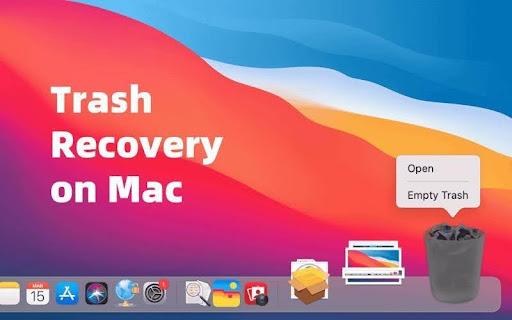
Stop using the Mac first
If you emptied Trash or used a permanent delete Mac action, stop saving new data to the affected drive. Avoid downloads, app installs, video exports, and large file transfers.
Deleted files may still exist on the drive for a while, but macOS can reuse that space at any time. For office workers, students, teachers, and video creators, this is especially important because large folders, videos, and project caches can overwrite recoverable data quickly.
Check whether the files are really gone
Start with simple checks before using data recovery software (Go here https://recoverit.wondershare.com/data-recovery-win.html ) Search with Spotlight by file name, extension, or project keyword. Check iCloud Drive, Desktop, Downloads, Documents, external drives, and recent folders inside the apps you used.
If the file was synced through iCloud, OneDrive, Google Drive, or a school or company account, check version history and deleted item areas in those services. For images, also check the Photos app and Recently Deleted album if they were removed from Photos rather than Finder.
What Shift-Command-Delete Does?
On Mac, Command-Delete usually moves selected files to Trash. Shift-Command-Delete empties Trash. Many users search for a command shift delete fix after realizing they cleared the wrong files.
The important point is that this shortcut does not create a normal folder you can reopen later. After Trash is emptied, recovery usually depends on backups, cloud history, or scanning the storage device before new data overwrites the deleted files.
Why Terminal undelete is usually not the answer
A terminal undelete command sounds useful, but modern macOS does not offer a simple built-in Terminal command that reliably restores files after Trash has been emptied.
Some commands can also make the situation worse if they write new data or change the affected disk. If you are not sure what a command does, do not run it on the drive where files were lost. Protect the storage location first, then recover from it carefully.
Where Wondershare Recoverit fits
Wondershare Recoverit (Go here https://recoverit.wondershare.com/ ) is useful when Trash is empty, backups do not have the right version, and normal search cannot find the missing files. Its Mac recovery (Go here https://recoverit.wondershare.com/data-recovery-mac.html ) page covers files lost through deletion, formatting, overwriting, and system issues. Its Mac Trash Recovery page focuses on recovering files after Trash has been emptied.
If you need to recover deleted files on Mac, Recoverit can scan the affected Mac location and look for recoverable documents, photos, videos, archives, and other file types. If the emptied Trash included personal or project images, you can also use Recoverit to recover Mac photos through the same Trash recovery workflow.
How to use Recoverit after emptying Mac Trash
1. Choose the affected location.
Open Recoverit and select the drive, folder, Desktop, or Trash-related location where the files were stored before deletion.
2. Start a scan.
Let Recoverit scan the selected location. If the lost files include videos, project folders, or many photos, allow the scan to finish.
3. Filter the results.
Search by file type, file name, size, date, or path. Office workers may look for documents and spreadsheets. Students and teachers may search for PDFs, slides, notes, or archives. Video creators may check MOV, MP4, project files, and media folders.
4. Preview files when possible.
Preview documents, photos, or videos to confirm you have found the right items before recovery.
5. Save recovered files somewhere else.
Do not restore files back to the original location during recovery. Save them to another drive or safe folder to reduce the risk of overwriting more recoverable data.
6. Check the restored files.
Open documents, review images, play video clips, and confirm folders contain the expected files before returning to normal work.
When Recovery may be Harder
Recovery may be limited if the Mac has been heavily used after Trash was emptied, if files were overwritten, if the drive was securely erased, or if the storage device has physical problems.
No recovery method is guaranteed. If an external drive is failing, disconnecting often, or not appearing on the Mac at all, avoid repeated attempts that may put more stress on the device.
Prevent the Same Problem Next Time
After recovery, set a safer cleanup routine. Review Trash before emptying it. Keep Time Machine or another backup system active. Store important work, school, and teaching files in synced folders.
For video projects, keep source footage and project libraries on a drive with a separate backup. Emptying Mac Trash is stressful, but the safest response is practical: stop using the affected storage, check simple recovery paths, avoid risky Terminal commands, and scan the right location before deleted data is overwritten.
Company Details
Company Name: Wondershare
Contact Person: Tianyu Wu
Email: customer_service@wondershare.com
Website: https://recoverit.wondershare.com/
SOURCE: Wondershare
This release was published on openPR.
Permanent link to this press release:
Copy
Please set a link in the press area of your homepage to this press release on openPR. openPR disclaims liability for any content contained in this release.
You can edit or delete your press release I,ooEmpty Mac Trash Recovery: How to Recover Files after Permanent Deletion here
News-ID: 4566738 • Views: …
More Releases from Publiera
New Patient Safety Concerns Put ER Discharge Decisions Under Scrutiny
Emergency rooms across the country are facing intense scrutiny as new patient safety reports reveal a worrying trend of premature discharges. When you or a loved one rushes to the hospital, the expectation is simple: a professional, thorough evaluation before being sent home. However, rising hospital overcrowding, severe staffing shortages, and corporate administrative pressures are forcing frontline medical workers to make rapid-fire decisions that can sometimes put patients at extreme…

When the Unexpected Happens in Detroit, Kajy Law Firm Is Ready to Fight for You
Car accidents don't send a warning text. One minute you're driving to work, picking up your kids, or just running errands around Detroit, and the next minute your whole world flips upside down. Between the medical bills, the insurance calls, and the stress of not knowing what happens next, it's a lot to handle on your own. That's exactly where the Kajy Law Firm (https://877kajycares.com/ ) steps in.
Based right in…
Saving Instagram Reels and Videos: A Practical Guide
Instagram has become one of the biggest homes for short-form video, from Reels and Stories to full-length uploads. But the app itself gives users no built-in way to save most of that content to their own device. That gap has led to a wave of browser-based tools that let people download public Instagram videos quickly, without installing an app or logging into an account.
Why People Look for a Downloader
There are…

Davis & Cole Highlights How the Growing Use of Alternative Data Sources Is Resha …
The informational landscape available to professional traders has undergone a structural expansion over the past decade. Alongside the traditional data sets that have historically defined quantitative and fundamental analysis - price and volume data, financial statements, macroeconomic releases - a growing category of non-traditional information sources has emerged as a meaningful input to professional investment decision-making. These alternative data sources, ranging from satellite imagery and transactional data to web traffic…
More Releases for Trash
China Stainless Steel Trash Bin Manufacturer Expands OEM & ODM Trash Can Exports …
Sinoware International Ltd, a professional household products manufacturer based in South China, today announced an increase in their global OEM/ODM trash can export business. Based in Jiangmen's stainless steel industry zone, Sinoware continues to strengthen their role as a reliable Stainless Steel Trash Bin Manufacturer to assist international brands, retailers, and distributors overcome long-standing supply chain challenges with stable production methods, flexible customization services and consistent quality standards.
Unstable Lead Times…
Trash Bags Market: A Comprehensive Overview
The global Trash Bags Market was valued at approximately USD 13.16 billion in 2024 and is projected to reach around USD 27.20 billion by 2033, growing at a compound annual growth rate (CAGR) of 8.4% from 2025 to 2033.
Trash Bags Market Overview
The global Trash Bags Market is experiencing significant growth, driven by increasing urbanization, rising waste generation, and growing environmental awareness. Trash bags are essential for waste containment and disposal…
Trash Can Market Towards $5.3 Billion with 6.4% CAGR by 2031; Sensor Trash Cans …
The global trash can market size was valued at $3.3 billion in 2021, and is projected to reach $5.3 billion by 2031, growing at a CAGR of 4.9% from 2022 to 2031.
According to a new report published by Allied Market Research, titled, "Trash Can Market by Product Type, by Material, by End User, by Distribution Channel: Global Opportunity Analysis and Industry Forecast, 2021-2031′′. The report offers a detailed analysis of…
Commercial Trash Cans Market Size Analysis by Application, Type, and Region: For …
According to Market Research Intellect, the global Commercial Trash Cans market under the Aerospace and Defense category is expected to register notable growth from 2025 to 2032. Key drivers such as advancing technologies, changing consumer behavior, and evolving market dynamics are poised to shape the trajectory of this market throughout the forecast period.
The market for commercial trash cans is steadily growing due to factors like growing commercial infrastructure, urbanization, and…
Key Trash Bags Market Trend for 2025-2034: Innovative Heavy-Duty Trash Bags Prom …
What Is the Future Outlook for the Trash Bags Market's Size and Growth Rate?
In recent times, the market size for garbage bags has seen impressive growth. It's anticipated to jump from $11.64 billion in 2024 to $12.41 billion in 2025, marking a compound annual growth rate (CAGR) of 6.6%. The expansion during the historic period is linked to the accelerated expansion of urban locations, escalating global headcount, the surge…
Earth Ninja Launches Trash Ninja: The Ultimate Trash Can Odor Eliminator
Image: https://www.abnewswire.com/upload/2025/01/6284a6f581a760257c4872f508e79d59.jpg
London, UK - 27 January, 2025 - Earth Ninja introduces Trash Ninja, the ultimate trash freshener designed to eliminate odors at their source. With activated charcoal and refreshing Ocean and Citrus scents, Trash Ninja transforms the way you manage household waste by keeping your trash cans fresh and clean for up to three months.
Key Features:
* Powerful Odor Elimination: Activated charcoal absorbs moisture and neutralizes odors naturally.
* Fresh…

