


Press release
How to Write Seedance 2.0 Prompts and Use It for Free
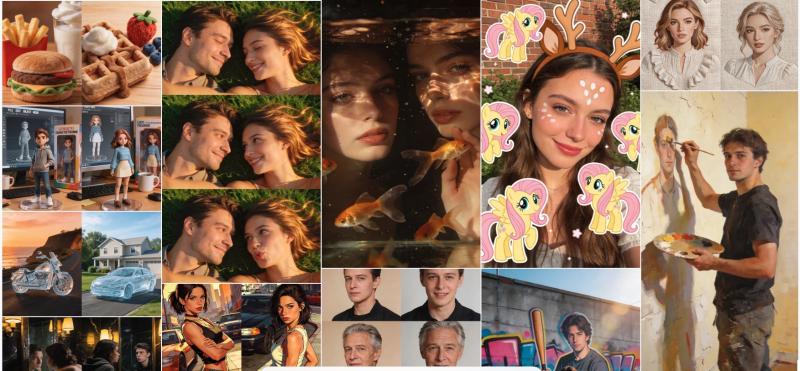
It can turn text, images, videos, and even audio references into short videos with strong motion, better camera control, and a more cinematic look.
But there is one thing many beginners miss:
A good Seedance 2.0 result depends a lot on the prompt.
If you only write:
> Make it cinematic.
> Make it high quality.
> Make the motion natural.
The result may not match what you want.
Seedance 2.0 works better when your prompt is clear, structured, and visual.
In this guide, I will explain what Seedance 2.0 is, how to try it for free, how to write better prompts, and how to use real face references.
Free seedance 2.0 here: https://seegen.ai/
---
## What Is Seedance 2.0?
Seedance 2.0 is an AI video generation model.
It can create videos from text prompts. It can also use images, videos, and audio as references.
That means you can guide the model with:
* a character image
* a real person photo
* a video for camera movement
* a video for body motion
* an audio file for mood or rhythm
* a first frame or last frame
Seedance 2.0 is strong at:
* natural motion
* cinematic camera movement
* character consistency
* scene consistency
* image-to-video generation
* reference-based video generation
* short story-style videos
It is not just a "type a sentence and get a video" model.
It works best when you describe the subject, style, camera, and timeline in a clear way.
---
## How to Use Seedance 2.0 for Free
If you want to test Seedance 2.0 before paying, there are a few ways to do it.
Here are three options.
---
## 1. Try Seedance 2.0 on SeeGen AI
SeeGen AI (https://seegen.ai/) is one of the easiest ways to try Seedance 2.0.
New users get **200 free credits** after sign-up.
You can use these credits to generate a **720P, 5-second video** with Seedance 2.0 Standard mode.
One key point is that SeeGen AI supports **real face image and real face video references**.
This is useful if you want to:
* use your own photo as a reference
* use a real person video as a motion reference
* keep the same face in a video
* make realistic human videos
* use a person's look, outfit, or body movement as a reference
If your goal is to test Seedance 2.0 with real human references, SeeGen AI is a simple choice.
---
## 2. Try Seedance 2.0 on PiAPI
PiAPI also offers a way to test Seedance 2.0.
New users get **$0.50 in free credit** after sign-up.
You can use it to try Seedance 2.0 Fast mode, such as a **720P, 5-second video**.
However, PiAPI does not support real face references.
So it is better for basic text-to-video or normal video tests.
If you want to test real human photos or videos as references, SeeGen AI is a better fit.
---
## 3. Try Seedance 2.0 on Arena
Arena (https://arena.ai/) is a platform where users can test and compare different AI video models.
You can generate **two 5-second videos per day**.
But there is one thing to know:
Arena does not always let you choose Seedance 2.0 directly.
You may get a chance to experience Seedance 2.0 results, but it is not guaranteed.
So Arena is better if you want to compare many AI video models and see which one performs better.
It is not the best choice if you want stable access to Seedance 2.0.
---
## Free Seedance 2.0 Options Compared
| Platform | Free Offer | What You Can Try | Real Face Reference |
| --------- | ---------------: | ------------------------------- | ------------------- |
| SeeGen AI | 200 credits | Seedance 2.0 Standard, 720P, 5s | Yes |
| PiAPI | $0.50 credit | Seedance 2.0 Fast, 720P, 5s | No |
| Arena | 2 videos per day | Chance to test Seedance 2.0, 5s | Not recommended |
If you only want to try Seedance 2.0 Fast at a low cost, PiAPI can work.
If you want real face references, SeeGen AI (https://seegen.ai/) is the better option.
If you want to compare different AI video models, Arena is worth trying.
---
## How to Write Seedance 2.0 Prompts
A strong Seedance 2.0 prompt should not be one long, messy paragraph.
It works better when you split it into layers.
A simple structure is:
1. Input: What reference files should the model follow?
2. Content: What happens in the scene?
3. Style: What should the video look and feel like?
4. Camera: How should the camera move?
5. Structure: How should the timeline flow?
6. Edit: What should change if you are editing a video?
Let's go through each part.
---
## 1. Input: Set Your Reference Files
Seedance 2.0 can use images, videos, and audio as references.
In the prompt, you can write them like this:
* `@Image1`
* `@Video1`
* `@Audio1`
Each reference type has a different use.
| Reference | Best Use |
| --------- | ------------------------------------------------------------ |
| `@Image` | Character look, face, outfit, scene, first frame, last frame |
| `@Video` | Camera movement, action, motion, effects, visual style |
| `@Audio` | Music, voice mood, rhythm, emotion, pacing |
A simple format is:
> Use `@Image1` as the character reference, `@Video1` for camera movement, and `@Audio1` for background music.
The key is not just to upload a file.
You should tell the model what each file is for.
For example:
> Use `@Image1` as the face and outfit reference. Use `@Video1` for body movement and camera motion.
This is much clearer than only saying:
> Use these references.
---
## 2. Content: Say What Happens in the Scene
Content is the core of the video.
This part answers one simple question:
> What is happening?
Do not start with camera details yet.
First, write the story or action.
You can include:
* who is in the scene
* where they are
* what they are doing
* what they feel
* what they say
* what sounds are in the background
Example:
> In a quiet morning cafe, the woman from `@Image1` sits by the window. She slowly lifts a cup of coffee and takes a sip. She smiles in a relaxed way and softly says, "Today feels peaceful." Soft cafe sounds play in the background.
This gives the model a clear scene.
It knows the character, place, action, mood, and sound.
---
## 3. Style: Set the Look and Mood
Style controls the look and feeling of the video.
Many people write:
> Make it cinematic.
> Make it high quality.
> Make it beautiful.
These words are too vague.
It is better to describe the style in parts.
| Style Part | Example |
| ------------ | ---------------------------------------------------------------- |
| Visual style | realistic film, commercial style, anime style, documentary style |
| Lighting | soft morning light, backlight, neon light, Rembrandt light |
| Color tone | warm, cool, low saturation, high contrast, purple tone |
| Texture | film grain, soft blur, sharp details, glowing light |
| Atmosphere | luxury, calm, dreamy, tense, cozy |
| Music | soft piano, cinematic strings, strong beat, ambient music |
Example:
> Realistic cinematic style. Soft morning light, warm color tone, light film grain, calm and cozy mood. Soft piano music plays in the background.
This is much better than only saying "cinematic."
It gives the model a clear visual direction.
---
## 4. Camera: Tell the Model How to Shoot
Camera is about how the scene is filmed.
For Seedance 2.0, camera language is very important.
Try to avoid vague words like:
> professional camera
> high-quality camera
> cool movement
Instead, use real camera terms.
| Camera Part | Example |
| ----------- | -------------------------------------------------- |
| Shot size | long shot, medium shot, close-up, extreme close-up |
| Angle | eye-level, low angle, high angle, POV |
| Movement | zoom in, zoom out, pan, tilt, tracking shot |
| Rule | one-take, no cuts, match cut |
| Speed | slow, steady, fast, slight handheld shake |
Example:
> Start with an eye-level medium shot. The camera slowly pushes in toward her face and ends in a close-up. One-take, no cuts, stable camera movement.
This gives the model a real shooting plan.
A useful rule is:
Do not write only adjectives. Write camera actions.
Instead of:
> cinematic camera
Write:
> one-take shot, slow push-in from medium shot to close-up
---
## 5. Structure: Split the Video by Time
Seedance 2.0 often works better when you split the video into a timeline.
This is very useful for 5-second, 10-second, or 15-second videos.
For a 5-second video, you can write:
> 0-2s: The woman holds a coffee cup by the window.
> 2-4s: The camera slowly moves closer as she takes a sip.
> 4-5s: She smiles softly as morning light falls on her face.
For a 15-second video, you can make it more detailed:
> 0-3s: Opening shot of the scene.
> 3-7s: The main action begins.
> 7-12s: The emotion or story changes.
> 12-15s: The scene ends with a strong final image.
Do not put too much action into a short video.
If a 5-second prompt has too many events, the result may feel messy.
Simple structure works best.
---
## 6. Edit: Write Clear Instructions for Video Editing
Seedance 2.0 can also be used to edit an existing video.
When you write an editing prompt, first decide what kind of edit you want.
| Edit Type | Meaning |
| ------------ | ---------------------------------------------------- |
| Extend | Continue the video after the final frame |
| Partial Edit | Change one part, such as hair, outfit, or background |
| Replace | Replace a person, product, or object |
| Re-Plot | Keep the scene but change the story |
For video extension, you can write:
> Extend `@Video1` by 5 seconds. Keep the same character, lighting, camera movement, and visual style. Add a final moment where the character turns around and smiles at the camera.
For partial editing, you can write:
> Change only the character's outfit in `@Video1` to a white jacket. Keep the same face, hairstyle, background, lighting, and camera movement.
For editing prompts, one thing is very important:
Write what should change, and also write what should stay the same.
If you only write what to change, the model may change too much.
---
## A Simple Seedance 2.0 Prompt Template
You can use this template as a starting point.
> Use `@Image1` as the character reference and `@Video1` for camera movement.
>
> In a quiet morning cafe, the woman from `@Image1` sits by the window. She slowly lifts a cup of coffee and takes a sip. She smiles in a relaxed way.
>
> Realistic cinematic style. Soft morning light, warm color tone, light film grain, calm and cozy mood. Soft piano music plays in the background.
>
> Start with an eye-level medium shot. The camera slowly pushes in toward her face and ends in a close-up. One-take, no cuts, stable camera movement.
>
> 0-2s: She holds the coffee cup and looks out the window.
> 2-4s: She slowly takes a sip of coffee.
> 4-5s: She smiles softly as sunlight falls on her face.
This type of prompt works better because it gives the model a clear plan.
It tells the model:
* what references to use
* what happens
* what it should look like
* how the camera should move
* how the video should flow over time
---
## FAQs
## How Do I Use Real Face References on Seedance 2.0?
If you want to use a real person's photo or video as a reference, you need a platform that supports real face references.
SeeGen AI supports real face image and real face video references.
The basic process is:
1. Upload a real person image or video.
2. Use it as a reference asset.
3. Mention it in your prompt as `@Image1` or `@Video1`.
4. Describe the face, outfit, movement, camera, and scene.
Example:
> Use `@Image1` as the face and outfit reference. Use `@Video1` for body movement and camera motion. Keep the person's facial features consistent. Generate a natural walking scene with a realistic expression.
A few tips:
* Do not use celebrity faces.
* Use images or videos that you have the right to use.
* Use a clear, bright face image.
* Avoid blurry or heavily edited face photos.
* If a generation fails, try a clearer reference image.
Real face support is one of the main reasons some users choose SeeGen AI for Seedance 2.0.
---
## What Is the Cheapest Way to Use Seedance 2.0?
First, you can check whether Dreamina offers a free trial or first-month free access.
For normal users, Dreamina can be a good way to test Seedance 2.0 if it is available in your region.
But Dreamina is not the best choice for real face references.
It may not support real person images or videos as direct references.
Another way is to use an API or API-based platform.
For personal use, SeeGen AI is easier to start with because it uses credits and does not require a complex setup.
For developers or larger teams, BytePlus is also an option.
---
## How Can Individuals Use the Seedance 2.0 API?
There are two main ways for individuals to use Seedance 2.0 through an API-style workflow.
The first way is to use a platform like SeeGen AI.
SeeGen AI is easier for individuals and small teams. The price can go as low as about **$0.16 per second**. It also supports real face image and video references.
The second way is to use BytePlus.
BytePlus is closer to an official API option. It uses token-based pricing, so it may be cheaper in some cases.
But it may have a higher entry barrier. For example, it may require 10+ concurrency. It also does not support real face references.
So the choice depends on your goal.
If you want simple access and real face references, SeeGen AI is easier.
If you want token-based pricing and a more official API setup, BytePlus may be worth checking.
---
## Can Seedance 2.0 Generate 1080P Videos?
Yes. Seedance 2.0 can generate 1080P videos.
But there is one important detail.
Some platforms promote 2K or 4K output. In some cases, those videos are not native 2K or native 4K.
They may be upscaled from 720P.
That means the video is first generated at 720P, then enlarged with an upscaling tool.
Native 1080P can cost more because it uses more compute during generation.
So you may see a strange price difference:
Native 1080P may be more expensive than third-party 2K or 4K upscaling.
When you compare platforms, check these points:
* Is it native 1080P?
* Is it upscaled from 720P?
* Is 2K or 4K generated by the model, or added later by upscaling?
"4K support" does not always mean native 4K generation.
---
## Final Thoughts
Seedance 2.0 is a powerful AI video model.
It can create natural motion, cinematic shots, consistent characters, and short story-style videos.
But prompt structure matters.
If you want better results, do not write one vague sentence.
Use a clear structure:
1. Set your reference files.
2. Describe what happens.
3. Choose the visual style.
4. Write the camera movement.
5. Split the video by time.
6. If editing, say what should change and what should stay the same.
If you want to try Seedance 2.0 for free, you can test SeeGen AI, PiAPI, or Arena.
If you need real face image or real face video references, SeeGen AI is the most direct option.
Start with a simple 5-second video.
Then add more details step by step.
That is often the best way to learn how Seedance 2.0 responds to your prompts.
Company Name: FaceMex AI Technology Limited
Address: Unit 1104, 11/F, Crawford House,
70 Queen's Road Central,
Central, Hong Kong
Contact: info@facemex.ai
FaceMex AI is an AI video generator
This release was published on openPR.
Permanent link to this press release:
Copy
Please set a link in the press area of your homepage to this press release on openPR. openPR disclaims liability for any content contained in this release.
You can edit or delete your press release How to Write Seedance 2.0 Prompts and Use It for Free here
News-ID: 4506437 • Views: …
More Releases from FaceMeX AI

Free AI Girlfriend Chatbot: Your Virtual Soulmate Awaits
With the rise of large language models (LLMs), AI girlfriend chatbots have become increasingly popular. Thanks to their powerful memory and contextual understanding, chatting with an AI girlfriend can feel almost like talking to a real person-engaging, emotional, and even comforting.
You've probably had a great experience with AI models like ChatGPT, Gemini, Grok, or DeepSeek. While they can be used for various purposes, including roleplay, they aren't specifically…
More Releases for Seedance
Seedance 2.5: How AI Video Creation Is Changing the Creative Workflow
Artificial intelligence is rapidly changing how video content is planned, produced, and edited. What once required cameras, actors, locations, and extensive post-production can increasingly begin with a simple written description or a collection of reference assets. Among the newer developments in this space is Seedance 2.5, an AI video generation model designed to give creators more control over longer, more detailed scenes.
What Is Seedance 2.5?
Seedance 2.5 is a generative AI…
Seedance 2.5 and the Changing Landscape of AI Video Creation
Artificial intelligence is rapidly changing how video content is planned, produced, and edited. What once required cameras, actors, locations, and extensive post-production can increasingly begin with a written prompt, reference image, or rough creative concept. Among the newer tools attracting attention is Seedance 2.5, an AI video generation model designed to give creators more control over longer, more coherent video scenes.
What Is Seedance 2.5?
Seedance 2.5 is a next-generation AI video…
Seedance 2.5 AI Video Generation: A Practical Guide to Faster Video Creation
Artificial intelligence is changing how people approach video creation. Instead of beginning with a camera, editing software, and hours of manual work, creators can now start with an idea, script, or visual concept and turn it into a video much faster. Seedance 2.5 is part of this growing generation of AI video technology, bringing automated generation, avatars, templates, and editing features into a more accessible workflow.
For creators, marketers, educators, and…
Pixazo Launches MCP Servers for Nano Banana, Seedance, Runway, and Flux
Pixazo's growing MCP ecosystem now includes dedicated servers for Nano Banana MCP, Seedance MCP, Runway MCP, and Flux MCP - giving developers instant, no-setup access to AI image and video generation natively inside their preferred AI assistant, powered by a single Pixazo account
NOIDA, Uttar Pradesh, India - July 16, 2026 - Pixazo today announced the expansion of Pixazo MCP [https://www.pixazo.ai/models/mcp], its Model Context Protocol platform giving developers native access to…
Seedance 2.1 and Seedance 2.0 Mini: Release Status, Rumors, and What Creators Ca …
Recent reports about Seedance 2.1 and Seedance 2.0 Mini have sparked new interest in AI video generation, but the official release status remains unclear.
AI video creators are closely watching the latest discussion around Seedance 2.1 and Seedance 2.0 Mini, two reported updates linked to ByteDance's Seedance video generation family. This attention is not surprising, as Seedance 2.0 is widely regarded as one of the best AI video models available today,…
Seedance 2.0 Launches as Leading AI Video Generator for Creators and Marketers
New platform transforms text, images, and clips into cinematic videos with unprecedented speed and consistency
March 2026 - Seedance 2.0 has officially launched as a next-generation AI video generation platform, offering creators, marketers, and agencies a powerful tool to produce high-quality video content without complex editing workflows.
Revolutionary Video Generation Technology
Seedance 2.0 leverages cutting-edge AI to convert text prompts, static images, and existing footage into polished, cinematic videos. The platform introduces a…

