


Press release
Elementor Form Plugin with Advanced Conditional Fields - Latest Wordpress Plugin Launched
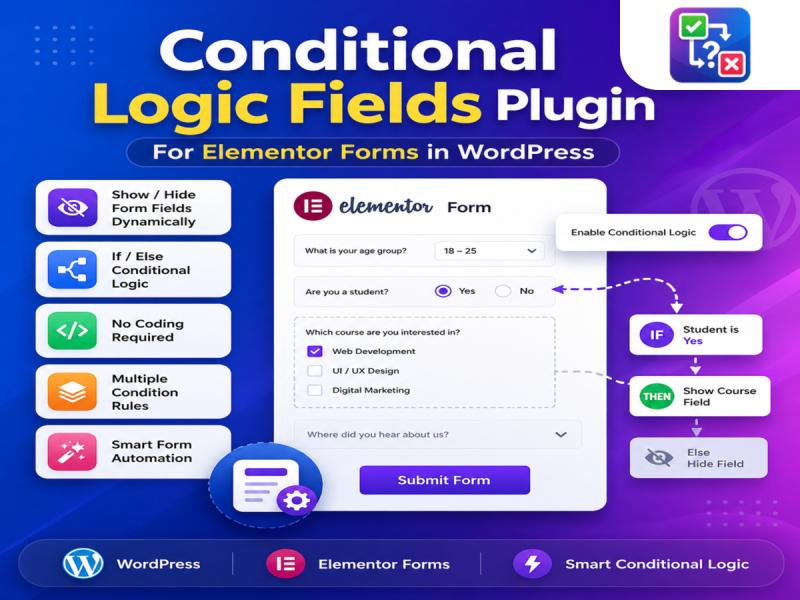
Conditional Fields for Elementor Form Plugin
This article walks you through everything you need to know about using an Elementor form plugin with advanced conditional fields: what it is, why it matters, what features to look for, and how to put it to work on your site.
What Are Conditional Fields in Elementor Forms ?
Conditional fields sometimes called conditional logic allow you to control which fields are visible to a user based on their previous answers. Instead of displaying every field to every visitor, your form becomes dynamic: it listens, adapts, and responds.
For example, if a user selects "Business" as their account type, you can automatically reveal fields for company name and VAT number. If they select "Individual," those fields stay hidden. The result is a leaner, more relevant experience for the user and cleaner, more useful data for you.
Out of the box, Elementor's native form widget offers basic field types and limited logic. To unlock advanced conditional fields, you need a dedicated plugin that extends Elementor's form capabilities.
Visit Us :- https://themesntemplates.com/wordpress-plugins/conditional-logic-fields-for-elementor-forms/
Why Advanced Conditional Logic Changes Everything
Basic show/hide logic is useful. Advanced conditional logic is transformative.
Here's why it matters across real use cases:
1. Reduces Form Abandonment
Long forms are one of the top reasons users abandon a page without converting. When users see a wall of fields many of which don't apply to them they leave. Conditional logic trims that wall down to only what's relevant. Shorter perceived length equals higher completion rates.
2. Improves Data Quality
When users are shown only the fields that apply to their situation, they're less likely to guess, skip, or enter junk data. Each answer becomes intentional. Your CRM, database, or email list gets cleaner, more actionable entries.
3. Replaces Multiple Forms with One
Without conditional logic, you might build separate forms for different user types one for new customers, one for returning, one for enterprise inquiries. With advanced conditional fields, a single form handles all scenarios intelligently. Less maintenance, fewer pages, one source of truth.
4. Powers Complex Workflows
Advanced plugins go beyond simple show/hide. They let you chain conditions, apply multiple rules per field, trigger actions based on combinations of answers, and even redirect users to different pages or send different email notifications depending on what they selected. This turns your form into a lightweight decision engine.
5. Works Without Code
Perhaps most importantly for Elementor users: none of this requires a developer. You set the rules visually, inside the Elementor editor, using dropdowns and toggles. If you can build a form, you can add conditional logic to it.
Learn More :- https://blog.nrigujarati.co.in/how-to-use-conditional-logic-fields-plugin-for-elementor-forms-in-wordpress/
Key Features to Look for in an Advanced Conditional Fields Plugin
Not all conditional logic plugins are created equal. When evaluating options for Elementor, here's what separates basic from truly advanced:
Multi-Condition Rules
The ability to combine conditions using AND/OR logic. For example: show a field only if the user selected "Other" AND entered a value greater than 500 in a previous field. Single-condition plugins can't handle this level of nuance.
Field-Level and Section-Level Control
Some plugins only let you hide individual fields. Advanced ones let you show or hide entire sections, columns, or steps in a multi-step form making it possible to build branching journeys, not just branching questions.
Support for All Field Types
Conditional logic should work across every field type: dropdowns, radio buttons, checkboxes, text inputs, number fields, date pickers, and file uploads. A plugin that only supports dropdowns limits your form design.
Action Triggers Beyond Visibility
The best plugins don't stop at show/hide. They also let conditions trigger actions like: changing a field's required status, sending a specific email notification, redirecting to a custom thank-you page, or populating a hidden field with a calculated value.
Real-Time Preview in the Editor
You should be able to see your conditional logic working as you build not just after publishing. A plugin with live preview inside the Elementor editor saves hours of back-and-forth testing.
Performance-Conscious Implementation
Conditional logic is powered by JavaScript on the frontend. A poorly built plugin can slow down your page. Look for plugins that load minimal scripts and only initialize logic when the form is in view.
Visit Our Website :- https://themesntemplates.com/wordpress-plugins/conditional-logic-fields-for-elementor-forms/
Common Use Cases for Conditional Fields in Elementor
To make this concrete, here are the scenarios where conditional fields deliver the most value:
• Contact forms: Show a "Project Budget" field only when the user selects "New Project" rather than "Support Request."
• Booking forms: Reveal date/time pickers only after a service type is selected.
• Job application forms: Ask for portfolio links only when the applicant selects a creative role.
• Quote request forms: Show product-specific questions based on which category the user picks.
• Survey forms: Branch to different question sets based on a user's initial response, creating a personalized flow without building multiple forms.
• Registration forms: Request organization details only when "I represent a company" is checked.
Each of these scenarios would otherwise require workarounds multiple forms, custom code, or bloated single forms that confuse users. Conditional fields Latest Wordpress Plugin Launched solve all of them cleanly.
Getting Started: The Basic Workflow
Once you've installed an advanced conditional fields plugin for Elementor, the workflow is straightforward:
1. Build your form in Elementor as normal, adding all the fields you might need.
2. Select the field you want to conditionally show or hide.
3. Open the conditional logic panel within that field's settings.
4. Define your rule: "Show this field when [Field X] equals [Value Y]."
5. Add additional conditions if needed, using AND/OR logic.
6. Save and preview your form to confirm the logic works.
7. Publish.
The entire process takes minutes once you're familiar with the interface.
Know More :- https://themesntemplates.com/wordpress-plugins/conditional-logic-fields-for-elementor-forms/
Conclusion
Advanced conditional fields aren't a luxury feature they're a fundamental part of building forms that actually work for users. For anyone building on Elementor, pairing the form widget with a dedicated conditional logic plugin unlocks a level of personalization and efficiency that static forms simply can't deliver.
Whether you're running a service business capturing leads, a SaaS product on boarding new users, or a non-profit collecting volunteer information, conditional fields help you ask less and learn more. The right plugin makes it possible without writing a single line of code - directly inside the editor you're already using.
Viranidevelopers 207-Shree Haridarshan Arcade, Near Balaji Hall, 150 ft Ring Road, Rajkot-360005, Gujrat
Virani Developers is a web design and development company based in Gujarat, offering services like website development, web design, and digital marketing to clients.
This release was published on openPR.
Permanent link to this press release:
Copy
Please set a link in the press area of your homepage to this press release on openPR. openPR disclaims liability for any content contained in this release.
You can edit or delete your press release Elementor Form Plugin with Advanced Conditional Fields - Latest Wordpress Plugin Launched here
News-ID: 4499435 • Views: …
More Releases from Viranidevelopers
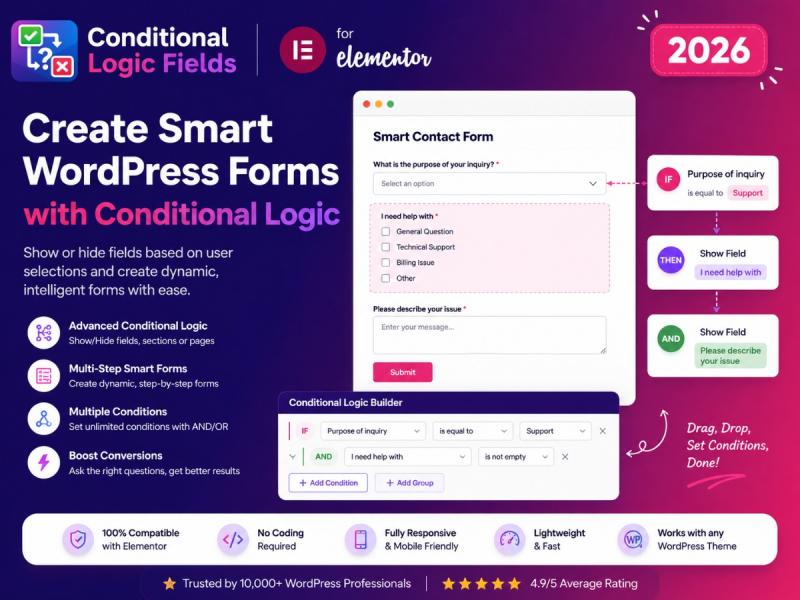
Conditional Logic Fields Plugin for Elementor Forms to Create Smart WordPress Fo …
Modern websites require smart and interactive forms to improve user experience and increase conversions. Whether you run a business website, service portal, eCommerce store, or lead generation website, forms play an important role in collecting user information. Simple forms often ask unnecessary questions, making the process long and confusing for visitors. This is where a Conditional Fields for Elementor Form Plugin becomes extremely useful.
Using an Elementor Conditional Logic Plugin, website…
More Releases for Elementor
Conditional Fields for Elementor Form Plugin - Enhance Your Forms with Condition …
Creating interactive and user-friendly forms is essential for improving website engagement and collecting accurate information from visitors. Standard forms often display every field to every user, making them lengthy and sometimes confusing. This is where Conditional Fields for Elementor Form Plugin become valuable.
By using Elementor Conditional Logic Plugin features, website owners can create dynamic forms that display specific fields based on user selections. Whether you run a business website, online…
Best Elementor Addons For WordPress That Power Freelancers and Agencies Worldwid …
Enter Addons delivers 100+ lightweight, performance-optimized Elementor Addons For WordPress - empowering freelancers and agencies across the USA, Canada, UK, and Australia to build stunning, professional websites without writing a single line of code.
Web professionals across the USA, Canada, UK, and Australia now have a smarter way to build high-performance WordPress websites. Enter Addons, a powerful suite of Best Elementor Addons For WordPress [https://enteraddons.com/], gives freelancers, designers, and digital agencies…
Elementor One Redefines What Professional Website Creation Looks Like on WordPre …
A milestone offering that integrates creation, optimization, and site management into a single experience, expanding the professional Elementor Editor that creators trust.
TEL AVIV, Israel - Jan 21, 2026 - Elementor, the company behind the drag-and-drop Editor that changed how millions create websites, today announced Elementor One, a unified web creation experience that brings the essential capabilities professionals rely on into one workflow. Delivered through a single subscription, Elementor One offers…
Top Tips for Designing High-Converting Online Stores in Elementor
Making an attractive online store is just half the fight. Additionally, your store must be an effective sales tool. It needs to convert visitors into paying clients. Conversion rate optimization is the term for this process. The secret to a successful business is a store with a high conversion rate. In this process, your store's design is crucial. A well-thought-out design can influence visitors to buy.
For this, Elementor is a…
Elementor Powers the Next Generation of WordPress Website Building
WordPress has evolved from a simple blogging platform into a comprehensive website-building solution, powering over 40% of the web today. Its journey from a basic content management system (CMS) to a versatile website-building tool reflects the broader technological shifts in web development. Over the years, WordPress has adapted to changing user needs, integrating new development tools, improving customization options, and enhancing performance to remain at the forefront of the industry.…
Rivmedia Launches Expert Elementor One-Time Fix Service and Comprehensive Mainte …
Image: https://www.globalnewslines.com/uploads/2025/03/1742263153.jpg
Rivmedia [https://www.rivmedia.co.uk/], a leading provider of digital services, announces the launch of its specialised Elementor One-Time Fix Service and Elementor Care & Maintenance Plans, providing website owners with structured solutions to maintain and optimise Elementor-powered websites.
Elementor is widely recognised as a powerful WordPress page builder, but occasional technical issues and ongoing maintenance can pose challenges for site owners. Since Elementor's initial release, Rivmedia has been actively engaged with the…

