


Press release
Plus AI Review for Business Presentations: Which Tools Keep Brand On-Deck?

So we're comparing today's leaders through a business lens. We start with https://plusai.com and then rank seven other tools on brand control, security, and workflow fit.
How we ranked the tools
We tested each platform like you would on a deadline: real brand templates, real client data, and a strict rule that nothing leaves the corporate sandbox. Next, we graded every result against six weighted factors. The weights keep us honest and show exactly why one tool finishes ahead of another.
[Image: This section defines the six weighted factors that drive the entire ranking. A generated diagram makes the weighting and evaluation framework instantly scannable and memorable.]
● Branding and design control, 25 percent. Does the AI follow your colors, fonts, and template rules, or does it improvise?
● Integration and workflow, 20 percent. Can you stay inside PowerPoint or Google Slides, or must you learn a new interface?
● Security and compliance, 15 percent. We looked for clear policies and third-party audits.
● AI quality, 15 percent. We judged coherence, visual variety, and data handling.
● User sentiment, 15 percent. G2, Trustpilot, and AppSource scores highlight everyday friction.
● Pricing and accessibility, 10 percent. Transparent, affordable plans beat opaque upcharges.
These weights match what buyers say they value most and draw on industry surveys projecting the AI presentation market beyond $5 billion by 2031.
With the scorecard set, the tools ranked themselves naturally, with Plus AI on top, followed by Microsoft and Google.
Quick-glance scorecard
You asked for substance, not suspense, so here's the at-a-glance view before we compare each contender.
● Tool: Plus AI | Works inside: PowerPoint, Google Slides | Brand control: Uses your templates; locks themes | Security badge: SOC 2 Type II | Starting price: $10 per user | User rating*: 4.8★
● Tool: Microsoft 365 Copilot | Works inside: PowerPoint | Brand control: Follows default corporate theme | Security badge: Microsoft tenant security | Starting price: $30 per user | User rating*: 4.5★
● Tool: Google Slides + Gemini | Works inside: Google Slides | Brand control: Honors active slide theme | Security badge: Workspace data protection | Starting price: Trial (paid add-on soon) | User rating*: 4.4★
● Tool: Visme | Works inside: Web app | Brand control: Admin-locked brand kits | Security badge: SSO, enterprise controls | Starting price: $25 per user | User rating*: 4.6★
● Tool: Beautiful.ai | Works inside: Web app | Brand control: Team brand themes | Security badge: Standard cloud safeguards | Starting price: $40 team tier | User rating*: 4.7★
● Tool: Canva (Magic Design) | Works inside: Web app | Brand control: Brand Kit (Enterprise) | Security badge: ISO-cert cloud | Starting price: $15 per 5 users | User rating*: 4.7★
● Tool: Gamma | Works inside: Web app | Brand control: Limited palette tweaks | Security badge: Basic encryption | Starting price: Free / $9 Pro | User rating*: 4.2★
● Tool: Pitch | Works inside: Web app | Brand control: Shared theme libraries | Security badge: SOC 2 in progress | Starting price: $12 Pro | User rating*: 4.4★
*Composite of G2, AppSource, and Trustpilot ratings as of January 2026.
Scan the columns and you'll spot a pattern. Native add-ins plus a formal compliance audit place Plus AI first. Microsoft and Google lean on ecosystem trust, even if their creative features remain basic. The remaining players excel in design polish or collaboration, yet most depend on web delivery and lighter security promises.
Now that you can see the field, we'll unpack each contender and why it earned its rank.
1. Plus AI: best for on-brand slides inside PowerPoint and Google Slides
Plus AI, with more than a million installs and 4.8-star marketplace ratings, positions itself as a top-rated https://plusai.com/ that works where you already build decks. Open PowerPoint or Google Slides, click the Plus ribbon, and the add-in pulls from your corporate template before it writes a single word. No exports, no copy-paste quirks. Your colors, fonts, and layouts load automatically, so marketing never flags a stray shade of blue.
Speed comes next. Paste a Word doc, drop in last quarter's PDF, or type a prompt, and Plus AI drafts a polished deck in seconds. Live data snapshots push it further, embedding charts that refresh from the source right before the meeting, meaning no more stale numbers.
Security teams like the paperwork. Plus AI holds a SOC 2 Type II report and states that it keeps zero long-term copies of your content. For many enterprises, that single line on the checklist wins approval faster than any design demo.
Pricing stays friendly: a seven-day free trial, then plans starting at $10 per user. Given the time saved and the comfort of never leaving native slides, Plus AI takes the top spot for brand-sensitive businesses.
2. Microsoft 365 Copilot: best for Microsoft-centric organizations
If your company already runs on Microsoft 365, Copilot feels less like a new app and more like a hidden power switch. Once an admin enables it, PowerPoint opens with a chat box that understands plain language. Ask for a ten-slide roadmap, point it at a Word doc, or request punchier speaker notes, and Copilot drafts everything in your corporate template within seconds.
Because Copilot runs on Microsoft infrastructure, your files never leave the tenant. The same permission model, audit logs, and data residency rules remain in place, which satisfies even strict IT teams.
The trade-off shows up in price and flair. At $30 per user, Copilot is the most expensive option here, and its design ideas stay conventional-bullet-point clarity rather than agency-level polish. If you prize airtight security over creative variety, Copilot offers a steady first draft you can trust.
3. Google Slides with Gemini: best for teams anchored in Google Workspace
Gemini sits in the familiar Slides sidebar, so there's no new login and no new learning curve. Type "turn this outline into five slides," and the model lays out titles, bullets, and images that match your active theme.
Gemini stands out for visuals. The "Help me visualize" prompt can create original illustrations inside the canvas. Need a skyline in company colors or a stylized flowchart? One prompt delivers it, sparing you a stock-photo search.
Depth remains limited. Gemini drafts concise slides well, but it won't yet build a 20-page investor deck in one go. While its image creator is handy, brand kits remain editable, so you still need a final sweep for tone, voice, and compliance.
Pricing is in flux. Many Workspace customers enjoy a trial, and Google has signaled a future $30 add-on similar to Copilot. If your organization already lives in Gmail, Drive, and Meet, testing Gemini inside Slides is nearly friction-free-and a smart first step into AI-assisted presentations.
4. Visme: best for strict brand governance and multi-format design
Visme approaches presentations like a brand manager with a clipboard. Before you generate a slide, you load a brand kit-logos, palettes, locked fonts. From that moment on, every AI-created deck stays inside the guardrails. Colleagues can't swap in off-tone images or stretch the logo out of shape. For global brands juggling dozens of markets, that rigidity can be a lifesaver.
The AI Branded Presentation tool combines your kit with prompt-driven content. Ask for a quarterly update deck, and it produces slides that already follow your colors and voice. Because the platform also builds infographics, reports, and social posts, teams can reuse assets without leaving the workspace. One subscription, many outputs, one consistent look.
Power comes with complexity. New users may need an onboarding session to navigate the interface. Large media files can slow the web editor, and exports to PowerPoint often flatten dynamic elements into static images. Pricing starts around $25 per user on team plans, so Visme pays off only when multiple departments rely on it daily.
Choose Visme if strict brand rules shape your workflow and you want a single design hub for slides, infographics, and more. For small teams or one-off decks, the learning curve may outweigh the benefit.
5. Beautiful.ai: best for designer-quality layouts without a designer
Beautiful.ai enforces design rules each time you add content. Text resizes automatically, images snap to balanced grids, and charts align on a tidy matrix. The result feels like a creative agency polished your deck while you finish your coffee.
Its adaptive templates are the standout feature. Pick a timeline or SWOT slide, paste your copy, and the layout adapts. Add a sixth bullet, and spacing adjusts in real time. This guardrail system removes most "ugly slide" issues that surface during late-night prep.
Teams on the higher-tier plan can upload a brand theme so every AI slide follows approved colors and fonts. It's not as strict as Visme's brand kit, but for many startups it offers enough control.
Drawbacks exist. Creative freedom is limited; anyone who needs pixel-perfect edits or uncommon chart types will push against template walls. PowerPoint exports flatten interactive elements, which frustrates colleagues who prefer offline tweaks. Pricing sits at $40 per user for the Team tier, matching the design power on offer.
Choose Beautiful.ai when you need attractive decks quickly, design resources are scarce, and you can accept template limits for reliable results.
6. Canva (Magic Design): best all-in-one design suite for small teams
If your marketing crew already builds social posts in Canva, moving to presentations feels natural. Magic Design asks for a topic, then suggests half a dozen slide styles. Pick one, and every later recommendation-images, icons, background textures-stays in the same visual lane.
Brand Kits (https://www.openpr.com/news/4351952/alai-recently-introduced-its-ai-presentation-maker-designed) lift the experience. Upload your palette and logos once, and teammates can apply them with a single click. On the Enterprise tier, admins can lock templates so off-brand fonts never appear. For budget-minded startups, Canva's Pro plan costs $15 for five users and unlocks a vast stock library-strong value for lean teams.
The catch: Canva is a generalist. It designs almost anything, but it won't craft your story. You still outline the narrative; Magic Design dresses it. PowerPoint exports also flatten interactive elements, so collaborate inside Canva when possible.
Choose Canva when versatility and price outweigh deep AI slide logic, and when your brand already lives inside its ecosystem.
7. Gamma: best for fast, web-style storytelling (with brand caveats)
Gamma feels like Medium merged with Keynote. One prompt produces a scrolling "deck" of cards-text blocks, GIFs, embeds-arranged in a modern web layout. It works best when you need to share an interactive link rather than a static slide file.
Draft speed is impressive. Founders create investor updates in minutes; marketers build product teasers that embed live tweets and charts. A single click converts the deck to PDF or PowerPoint for stakeholders who prefer offline files.
There is a catch. Gamma's design engine can override uploaded templates, repeat the same icon set, and ignore strict color codes-an issue echoed in user reviews that call the output "off-brand and hard to fix." Support tickets and occasional crashes show the platform is still maturing.
Pricing starts at free, with a $9 Pro tier unlocking private links and extra export options. For internal brainstorms and creative campaigns, Gamma delivers excitement. For board decks that must follow brand guidelines pixel for pixel, proceed with caution.
8. Pitch: best for real-time team collaboration
Pitch treats a deck like a shared document. Multiple teammates edit the same slide at once, comment in context, and watch changes appear instantly. Recent AI tools tighten text, suggest layouts, and surface stock images, but the main appeal remains rapid collaboration.
Templates arrive with startup-friendly designs, and admins can publish custom themes to keep everyone aligned. Unlike many web tools, Pitch syncs edits to its desktop presenter mode, letting you rehearse offline while colleagues refine copy online.
AI output is lighter than Plus AI or Beautiful.ai; writers still craft most of the narrative, but the rewrite tool trims dense bullets before an investor call. At $12 per user on the Pro plan, Pitch offers a cost-effective hub for fast-moving product or revenue teams.
Other notable mentions
A few contenders sit just outside our top eight.
Presentations.ai can still create full decks from a single prompt, but its plain default themes and annual-only pricing turn off design-focused teams.
Tome pivoted away from slide creation in 2024, shifting toward AI-powered documents. If you liked its early deck generator, note the feature sunset before committing.
Legacy names such as Prezi and Slidebean have added AI assistants to familiar platforms. They help with quick drafts, yet neither offers the brand control or compliance standards that enterprise buyers expect.
Keep these options on your radar if they suit your workflow, but weigh them against the priorities highlighted earlier: brand fidelity, integration, and security.
Wrapping up and what to do next
AI shaves hours off slide creation, but your brand and data still carry the risk. Our rankings highlight how each platform balances creativity with control. Plus AI leads for PowerPoint and Google Slides users who need locked templates. Microsoft and Google provide ecosystem trust, Visme and Beautiful.ai emphasize design discipline, Canva and Gamma favor speed and experimentation, and Pitch champions real-time teamwork.
The market changes fast. Vendors add features every month, and new compliance badges follow. Run a quick pilot: choose two tools that match your priorities, load a real deck, and time how long it takes to reach client-ready status. Your own brand guidelines and a stopwatch will reveal the best fit.
Every AI draft needs human review. Check facts, adjust tone, and confirm visuals before presenting. Treat the AI output as a starting point, and the tech becomes a reliable partner rather than a liability.
Sources
1. StoryChief, "12 Best AI Presentation Makers," market projection to USD 5 billion by 2031.
2. Deckary, "Plus AI Review," SOC 2 Type II compliance and zero long-term data retention.
3. Trustpilot summary for Gamma.app, recurring complaints about ignored templates and crashes.
This release was published on openPR.
Permanent link to this press release:
Copy
Please set a link in the press area of your homepage to this press release on openPR. openPR disclaims liability for any content contained in this release.
You can edit or delete your press release Plus AI Review for Business Presentations: Which Tools Keep Brand On-Deck? here
News-ID: 4402581 • Views: …
More Releases from Publiera

Stress-Free Event Planning Solutions with Party Rentals Dallas
Organizing an event in a busy and vibrant city like Dallas requires careful planning, coordination, and the right resources. From seating arrangements to lighting, décor, and entertainment setups, every detail contributes to the overall experience. This is where Party rentals Dallas https://www.dfwflowerwall.com/party-rentals/ services become extremely valuable. They provide everything needed to host successful events without the burden of purchasing, transporting, or managing event equipment.
Whether it is a wedding,…
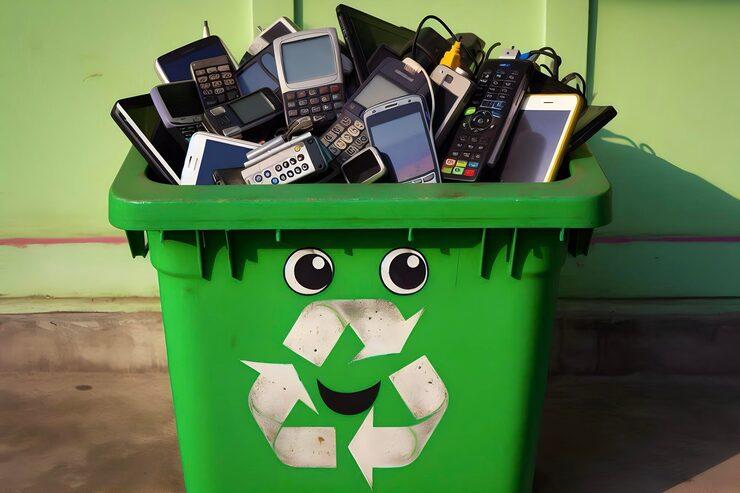
Electronics Recycling Container Solutions for Businesses and Organizations
Managing outdated technology becomes much easier with dedicated recycling solutions like https://samrinc.com/services/e-waste-containers/ , especially for offices, schools, warehouses, and government agencies dealing with large amounts of retired devices. Instead of piling old monitors in storage rooms or moving broken equipment from one department to another, a dedicated container provides a single, organized place for safe disposal. This simple solution helps facilities save time, reduce clutter, cut costs, and improve the…

8 Proven Strategies to Dominate the AI-Driven Market in 2026
By 2026, the business environment will have evolved into a speed-driven ecosystem, in which artificial intelligence is a fundamental operational element, not an optional, value-adding technological advancement. Driven by agents' workflows, digital economies propelled rapid business opportunities across online systems. Particularly, diverse digital entertainment, including the Thai market's mobile-accessible https://www.outlookindia.com/xhub/e-gaming/10-web-huay-and-lottery-online-2026, is surging. Businesses aiming to remain competitive will drive leadership to evolve beyond automation to deep integration, people-centered leadership, and…
Paxi Group and Why Platform Stability Matters for Long-Term Digital Trust
As online platforms continue to evolve across the financial and digital services sectors, operational stability has become a major factor influencing long-term user trust. Paxi Group, accessible through http://paxi.group/, reflects how modern digital platforms increasingly prioritize system consistency, structured functionality, and reliable infrastructure to improve user experience and strengthen credibility.
In fast-moving online environments, users expect platforms to function smoothly and predictably. Technical interruptions, unclear navigation, or inconsistent performance can significantly…
More Releases for Google
Google Ads Guy Secures 2026 Google Premier Partner Status as One of Australia's …
Sydney, NSW - 12 May 2026 - Specialist digital advertising consultancy Google Ads Guy has officially achieved 2026 Google Premier Partner status, placing the agency among the top 3% of Google Ads partners in Australia. The annual recognition is awarded to agencies that demonstrate exceptional campaign performance, strong client growth, high account retention, and advanced technical capability within the Google Ads ecosystem.
The achievement reinforces Google Ads Guy's reputation as one…
OTT Market is Booming Worldwide | Netflix, Google, YouTube (Google)
The Latest research study released by HTF MI "Global OTT Market Market with 120+ pages of analysis on business Strategy taken up by key and emerging industry players and delivers know-how of the current market development, landscape, technologies, drivers, opportunities, market viewpoint, and status. Understanding the segments helps in identifying the importance of different factors that aid market growth. Some of the Major Companies covered in this Research are Facebook,…
Google Ads Management Service & Top Google Ads PPC Agency
Small and medium businesses across Pandacuads offer professionally managed Google Ads advertising services. As a digital advertising company, we have over 6 years of experience in successfully managing Google advertising campaigns. We adopt an innovative inquiry guarantee service, when your site receives more than three inquiries before you need to pay our service fee.
One of our highly trained in-house experts will be appointed as your preferred event manager and they…
Google Adwords | Google Ads | SEO services | Digital Marketing Agency
Why Guest posting services need of Your Website?
It is safe to say that you are attempting to discover high space specialist online journals to connect back to your site? We, Guest posting services, have an assorted rundown of sites and sites that take into account distinctive specialties.
In case you're dealing with a specialty site, our white cap third party referencing methodology is perfect for its prosperity. Our Guest posting sites,…
Bradley Associates Info: Google +1 Button Now Shares Directly to Google+
Google has upgraded the +1 button with several new features, including the ability to directly share a webpage to Google+.
“Beginning today, we’re making it easy for Google+ users to share webpages with their circles, directly from the +1 button,” Google SVP of Social Vic Gundotra announced in a blog post. “Just +1 a page as usual and look for the new ‘Share on Google+’ option. From there you can comment,…
Kingpin Excited to See What Google+ does for Google Realtime
According to recent research Google+ has apparently amassed 25 million users since its launch in late June, however the networking site is currently still in the invite only stages. Despite the lack of news regarding its public launch date, there are now rumours that Google will be using the social networking site in conjunction with the not long abandoned Google Realtime function.
Realtime delivered relevant information from Twitter, Facebook, and other…

