


Press release
How to Convert Text to PPT
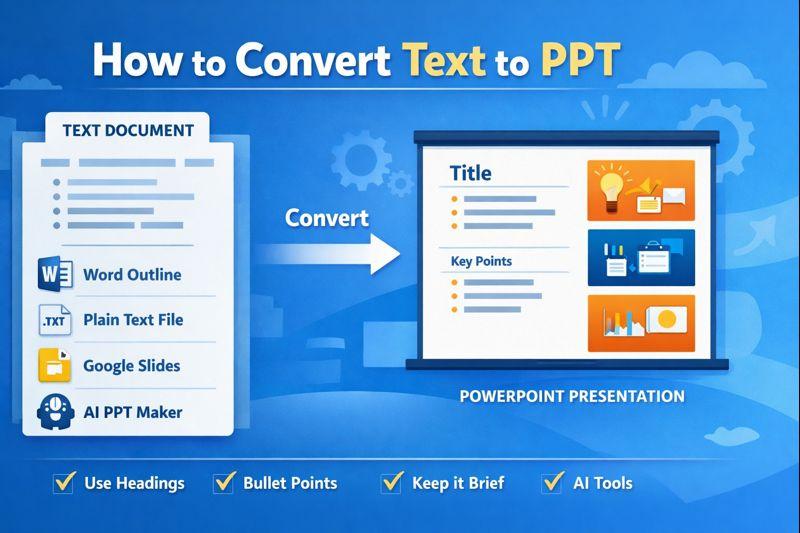
You can do this using Microsoft Word, PowerPoint, Google Slides, and AI tools, depending on what your source text looks like.
Method 1 - Convert Text to PPT Using Microsoft Word Outline (Most Accurate)
This is the most reliable way I use when I have a long document or article.
Step 1 - Format Text in Word Using Headings
I paste my text into Microsoft Word and apply:
1. Heading 1 > Slide Title
2. Heading 2 > Bullet Points
3. Heading 3 > Sub-bullets
Example structure I use:
Heading 1: Introduction to Cloud Migration
Heading 2: What is Cloud Migration
Heading 2: Benefits of Cloud Migration
Heading 3: Cost Saving
Heading 3: Scalability
Step 2 - Export to PowerPoint
1. File > Export > Export to PowerPoint Presentation
2. Choose a theme
3. Word automatically creates slides
Why I prefer this method
1. Perfect slide hierarchy
2. No manual slide creation
3. Works best for long text, blogs, reports
Method 2 - Convert Plain Text to PPT Directly in PowerPoint
When I only have a .txt file, I do this.
Step 1 - Structure Text Like This in Notepad
Slide Title
Point 1
Point 2
Sub point
(Tabs define bullet levels)
Step 2 - Import into PowerPoint
1. Home > New Slide > Slides from Outline
2. Select the text file
Slides are created instantly.
Best for
1. Notes
2. Meeting minutes
3. Raw content without formatting
Method 3 - Convert Text to PPT Using Google Slides
If I'm working in the browser, I use Google Slides.
What I do
1. Paste text into Google Docs
2. Apply Heading styles
3. Copy > Paste into Slides
4. Slides auto-separate by headings
Method 4 - Use AI Tools to Convert Text to PPT Automatically
When I want the fastest way to turn raw text into a ready presentation, I use MagicSlides AI Text to PPT Converter (https://www.magicslides.app/tools/text-to-ppt-ai) inside Google Slides. I simply open the add-on, paste my article, notes, or any block of text into the sidebar, choose how many slides I want, and click generate. Within seconds, it converts paragraphs into slide titles and clean bullet points without me worrying about headings, tabs, or formatting.
I prefer MagicSlides AI PPT Maker (https://www.magicslides.app/) when my content is messy or too long because it automatically summarizes the text and structures it into a logical slide flow. Instead of manually creating outlines in Word or PowerPoint, I let the tool handle the structure and design, then I just review and tweak the slides to match my presentation style.
Method 5 - Use Word to Clean Text, Then Export to PPT
Sometimes my text is messy (from emails, PDFs, or notes). I:
1. Paste into Word
2. Apply headings properly
3. Export to PowerPoint
This hybrid method gives me clean, professional slides.
Best Practices I Follow for Clean Slides
1. One slide = one idea
2. 5-6 bullet points max
3. Short phrases, not paragraphs
4. Use headings hierarchy correctly
5. Let themes handle design, I focus on structure
Common Problems and Fixes
Problem: Everything comes into one slide
Fix: I forgot to apply headings or tabs
Problem: Bullets are not nested
Fix: Use tabs (in text) or Heading 3 (in Word)
Problem: Slides look text-heavy
Fix: Ask AI to summarize before importing
FAQs
Can I convert a PDF or long article into PPT?
Yes. I paste the text into Word, apply headings, then export.
Does this work with old PowerPoint versions?
Yes, the outline import works in most versions.
Is there any fully automatic way?
AI tools plus outline import is the fastest workflow I use.
Which method is best for large documents?
Word headings > Export to PowerPoint.
Conclusion
Whenever I need to convert text into PPT, I don't create slides manually. I structure the text first, then let Word, PowerPoint, or AI do the slide creation for me. This approach saves time, keeps slides consistent, and ensures a professional layout every time.
Damodar kutir Ward No. 1, Pipri Nowgong Chhatarpur, MP 471201 IN
MagicSlides is an AI-powered PPT maker that turns raw text, documents, URLs, or notes into fully structured presentation slides inside Google Slides. I use it when I want to skip manual formatting because it automatically converts paragraphs into slide titles, bullet points, and a logical slide flow within seconds.
What I like most is that it summarizes long content, applies a clean layout, and lets me control the number of slides and theme before generating the deck. Instead of creating outlines in Word or arranging slides in PowerPoint, I paste my content into MagicSlides, click generate, and then just fine-tune the slides to match my style.
This release was published on openPR.
Permanent link to this press release:
Copy
Please set a link in the press area of your homepage to this press release on openPR. openPR disclaims liability for any content contained in this release.
You can edit or delete your press release How to Convert Text to PPT here
News-ID: 4375852 • Views: …
More Releases for Slide
Slide Bearings Latest Market Report 2026
On Dec 17, the latest report "Global Slide Bearings Market 2026 by Manufacturers, Regions, Types and Applications, Forecast to 2032" from Global Info Research provides a detailed and comprehensive analysis of the global Slide Bearings market. The report provides both quantitative and qualitative analysis by manufacturers, regions and countries, types and applications. As the market is constantly changing, this report explores market competition, supply and demand trends, and key factors…
Global Automated Slide Stainer Market Size by Application, Type, and Geography: …
USA, New Jersey- According to Market Research Intellect, the global Automated Slide Stainer market in the Internet, Communication and Technology category is projected to witness significant growth from 2025 to 2032. Market dynamics, technological advancements, and evolving consumer demand are expected to drive expansion during this period.
The automated slide stainer market is experiencing substantial growth due to increasing demand for efficient and consistent staining processes in laboratories, particularly in the…
Whole Slide Imaging Market Report 2024 - Whole Slide Imaging Market Trends And F …
"The Business Research Company recently released a comprehensive report on the Global Whole Slide Imaging Market Size and Trends Analysis with Forecast 2024-2033. This latest market research report offers a wealth of valuable insights and data, including global market size, regional shares, and competitor market share. Additionally, it covers current trends, future opportunities, and essential data for success in the industry.
Ready to Dive into Something Exciting? Get Your Free Exclusive…
Professional Business Presentation Templates | Slide Members
SLIDE MEMBERS offers presentation templates that can be used for a variety of presentation, such as Company Profile, Business Report, Pitch Deck, and Portfolio. Its customizable templates ensure time savings and success in presentation.
Anyone preparing for the presentation PPT can discover the right PPT templates just only by the simple keyword in ever-growing library of SLIDE MEMBERS. Save time and complete the PPT for business presentation with…
Free Professional Customizable PowerPoint Presentation Slide Templates | Slide M …
SLIDE MEMBERS presents you with a robust collection of free ppt template, Free Google slides, and free keynote themes from its web site to give a polished and professional look to your presentations.
These SLIDE MEMBERS PowerPoint presentation templates can be used for business reports, annual reports, pitch decks, real estate market reviews, new business funding requests, product reviews, marketing and promotions post-launch reviews, market research, course work, social media impact…
Discover and Download 10,000 Professional PPT Slide Templates | Slide Members
You can create perfectly effective presentations fit for the business or educational projects with SLIDEMEMBERS that provide more than 10,000 slide templates designed by professional designers.
SLIDE MEMBERS slide templates are all professionally designed to help you accurately present the business points.
All SLIDE MEMBERS slide templates of PPT, Keynote, Diagram and Chart are available to be downloaded from the web for any variety of presentation. Furthermore, it is…

