


Press release
Skip the Hassle: How to Install Windows 11 from USB in Half the Time
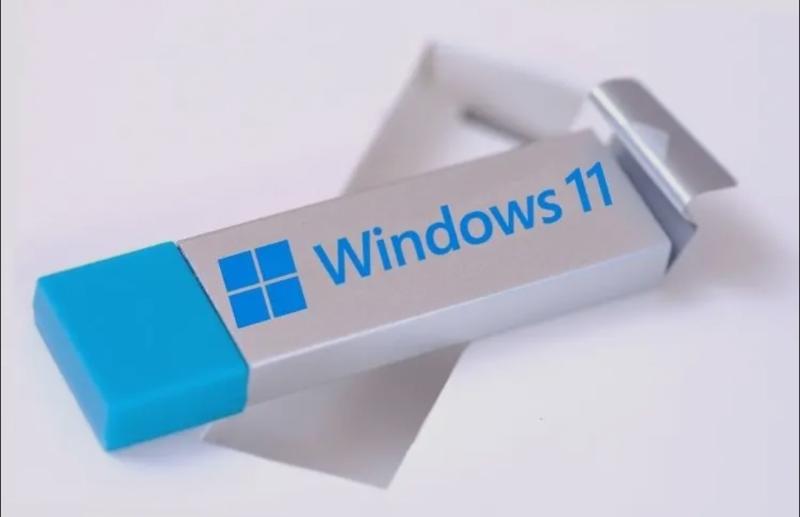
Install Windows 11 from USB
But it doesn't have to be that way. By preparing your disk properly before booting from a USB drive, you can eliminate most installation errors and significantly reduce setup time. This guide explains how to install Windows 11 from a USB in a smarter, faster, and cleaner way with far less frustration.
Part 1: Why Traditional USB Installs Waste Your Time (The 5 Time Sinks)
A standard Windows 11 clean install https://4ddig.tenorshare.com/windows-fix/how-to-install-windows-11-from-usb.html looks simple on paper, but in reality, it's full of slowdowns. Here's where most of your time disappears.
1. The Chaotic Backup Phase
Manually copying files to an external drive is slow and unreliable. Many users forget app data, licenses, or browser profiles, leading to extra recovery work later.
2. The Partition Panic Phase
Errors like "Windows cannot be installed on this disk" are extremely common. Mismatched GPT/MBR formats or leftover system partitions often halt installation entirely.
3. The BIOS Fumbling Phase
Finding the correct boot key, switching between UEFI and Legacy modes, and disabling Secure Boot can consume far more time than expected, especially for less experienced users.
4. The Driver Waiting Phase
After installation, missing network drivers can prevent Windows Update from running, delaying system setup even further.
5. The Data Restoration Phase
Reinstalling apps, restoring files, and reconfiguring settings often takes longer than the install itself.
Partition preparation causes the majority of Windows 11 installation failures, and fixing it upfront solves more than 80% of the partition-related Windows 11 installation problems.
Part 2: The Game Changer: Pre-Install Disk Preparation with 4DDiG
Instead of troubleshooting problems during installation, the smarter approach is to eliminate them before you boot from the USB drive. This is where a modern disk partition software https://4ddig.tenorshare.com/4ddig-partition-manager.html like 4DDiG Partition Manager changes the entire experience.
An All-in-One Pre-Install Solution
4DDiG focuses on disk readiness, which is the foundation of a fast Windows 11 install:
Smart System Backup
Create a complete system image or clone your C: drive in minutes. This protects your data far more effectively than manual backups.
One-Click Disk Conversion
Convert your system disk to GPT effortlessly, ensuring full UEFI compatibility required by Windows 11.
Partition Optimization
Automatically create and size system partitions correctly, avoiding installation errors caused by improper layouts.
Driver Preservation (Optional)
Save essential network and chipset drivers so your system is fully functional immediately after installation.
Bootable Media Support
Prepare your environment to work seamlessly with a Windows 11 USB created using Microsoft's Media Creation Tool.
Streamlined Preparation Workflow
Launch 4DDiG Partition Manager in your current Windows system
Use "Clone OS" or "Migrate OS" to safeguard your system
Convert the disk to GPT if needed with the "Convert to GPT" feature and ensure UEFI compatibility to optimize partitions for Windows 11
Create bootable media to prepare the installation environment and proceed with the installation.
Time comparison:
Traditional method: 2-3 hours
Prepared method: ~30 minutes prep + ~20 minutes install
Part 3: The Accelerated Installation Process
Once your disk is properly prepared, the actual Windows 11 USB boot process becomes refreshingly simple.
Step 1: Boot from USB
Insert your Windows 11 installation USB, select it from the boot menu, and proceed directly to setup; no BIOS confusion required.
Step 2: Select the Installation Drive
Instead of seeing multiple confusing partitions or error messages, you'll find a clean, correctly formatted target ready for installation.
Step 3: Fast, Error-Free Installation
With no partition conflicts for the UEFI Boot USB, Windows installs smoothly, often completing in around 20 minutes on modern SSDs.
Step 4: First Boot Without Delays
Because drivers were preserved or pre-planned, your system connects to the internet immediately, allowing updates to start right away.
Result:
No mid-install troubleshooting, no disk errors, and no wasted time.
Part 4: Post-Install: 10-Minute System Optimization
While traditional installs are still searching for drivers, your system is already usable. A few final steps complete the setup:
Restore Drivers Quickly
Install saved network or chipset drivers if needed.
Fine-Tune Partitions
Resize or merge partitions easily using 4DDiG if you want to expand the C: drive.
Rapid Software Setup
Use tools like Winget or Ninite to install essential apps in bulk.
Run Windows Update Immediately
With networking already working, updates are complete without interruption.
Within minutes, your system is fully operational.
Part 5: When to Use This Method vs. The Traditional Approach
Not every situation requires the same strategy.
Use the 4DDiG Fast Method if:
You're doing a Windows 11 clean install
You're upgrading or repurposing hardware
You reinstall Windows regularly
You want zero installation errors
Use the Traditional Method if:
You're doing an in-place upgrade
You must follow strict corporate IT policies
For most home users and technicians, pre-install disk preparation offers a massive time-saving advantage with a minimal learning curve.
Conclusion: Reclaim Your Weekend
Installing Windows 11 from a USB shouldn't consume your entire day. By preparing your disk in advance, you eliminate errors, reduce install time, and enjoy a smooth, uninterrupted setup. With intelligent pre-install optimization, tools like 4DDiG Partition Manager turn a stressful process into a fast, reliable experience, so you can get back to what matters.
FAQ Section
Q: Is this method really faster if I have to learn a new tool first?
Yes. The initial learning time is minimal, and the saved hours during installation and future reinstalls far outweigh it.
Q: Is it safe to modify partitions before installing?
Absolutely, if you back up first. Tools like 4DDiG perform changes safely and predictably.
Q: Can I use 4DDiG Partition Manager to just resize my C: drive before installing, without doing a full backup?
Yes, 4DDiG allows selective partition resizing without forcing a complete system backup.
Meta Description:
Installing Windows 11 from a USB can be slow and error-prone. Learn a faster, cleaner method that cuts install time in half and avoids common partition issues.
P.O Bagarji Town Bagarji Village Ghumra Thesil New Sukkur District Sukkur Province Sindh Pakistan 65200.
Wiki Blogs News always keeps careful online users to provide purposeful information and to keep belief to provide solution based information.
This release was published on openPR.
Permanent link to this press release:
Copy
Please set a link in the press area of your homepage to this press release on openPR. openPR disclaims liability for any content contained in this release.
You can edit or delete your press release Skip the Hassle: How to Install Windows 11 from USB in Half the Time here
News-ID: 4323930 • Views: …
More Releases from Wikiblogsnews

Building a Professional Content Pipeline with AI Photography and Video Tools
Most teams adopting AI for content do the same thing. They sign up for an image generator, try a video tool, add a caption app, and end up with six subscriptions and no system. Output rises briefly, then quality drifts and nobody can explain why one asset looks right and the next does not.
The problem is rarely the tools. It is that nobody built a pipeline around them.
What Is an…

One Chuan Grove Adds Full Facilities and Community-Centric Features
One Chuan Grove Elevates Community Living With Premier Amenities
At the heart of Chuan Grove, a visionary development emerges, reshaping the landscape of luxury living.
One Chuan Grove https://one-chuangrove.sg/, a prestigious project by Sing Holdings Residential Pte. Ltd. and Sunway Developments Pte. Ltd., stands as a beacon of modern residential design combined with community-centric values. This new condo development not only promises full facilities that cater to the holistic needs of…

Downsizing or Decluttering? A Room-by-Room Junk Checklist
Moving into a smaller home? Or maybe your current place just feels too full? Downsizing and decluttering can make a big difference, but the hardest part is usually knowing where to start.
One room at a time is the way to go. Don't try to clear the whole house in a weekend. Pick a space. Sort it. Keep what you actually use. Let go of the rest.
If the pile gets bigger…

Founder Events in Silicon Valley and San Francisco with Growth-Stage VCs: Open F …
Monthly private founder dinners bring together founders who have raised more than $10 million to discuss growth, fundraising and company leadership.
PALO ALTO, Calif., 2026 - Open Future Forum hosts monthly founder events in Silicon Valley and San Francisco for founders whose companies have raised more than $10 million. The invitation-only series brings together experienced company builders for private dinners, founder networking and candid discussions about scaling a business after significant…
More Releases for Windows
Broadview Windows (UPVC windows; bifold doors, aluminium windows, Composite door …
Broadview Windows Delivers Quality Glazing Solutions in Hertfordshire
Broadview Windows is a trusted supplier and installer of UPVC windows, bifold doors, aluminium windows and UPVC doors across Hertfordshire. With a strong reputation for quality craftsmanship and reliable service, the company provides modern glazing solutions designed to enhance comfort, security and kerb appeal for homeowners.
"We believe every home deserves windows and doors that combine performance, security and style. Our team works closely…
Composite Doors And Windows Market Is Going to Boom |• Thermo-Tech Windows • …
Worldwide Market Reports has recently released a comprehensive research study titled "Composite Doors And Windows Market Size and Forecast 2026-2033: Breakdown by Manufacturers, Key Regions, Types, and Applications." The report has been developed using a combination of primary and secondary research methodologies, ensuring a detailed and accurate analysis. Drawing insights from both historical data and future projections, the study highlights the expected growth of the Composite Doors And Windows market…
Us Automated Windows Market Detailed Industry Report Analysis 2025-2034 | Anders …
On April 3, 2025, Exactitude Consultancy., Ltd. released a research report titled "Us Automated Windows Market". In-depth research has been compiled to provide the most up-to-date information on key aspects of the worldwide market. This research report covers major aspects of the Us Automated Windows Market including drivers, restraints, historical and current trends, regulatory scenarios, and technological advancements. It provides the industry overview with growth analysis and historical & futuristic…
Windows OS
Which Windows OS is Best
OS is nothing but operating system
Nowadays there are several types of OS are available for us.but peoples are struggle to choose which os is best for me and which os is performing well
There are several types of Windows os are required
1)windows 7
…
ClickInstall Windows 3.0 Builds a Setup Process for Windows Software
ClickInstall Windows 3.0 makes it easy to create highly customized, modern installers for Windows computers based on Microsoft Software Installer (MSI) technology. The install process can be customized with messages, scripts or executables that run before or after the install process. Set registry entries, file associations, shortcuts, run shell commands, check for OS, RAM or runtime requirements and even download and install prerequisite software if needed.
ClickInstall…
Identify Hidden Opportunities of Energy Efficient Window Market | Crestline Wind …
A latest study released by HTF MI on Global Energy Efficient Window Market covering key business segments and wide scope geographies to get deep dive analysed market data. The study is a perfect balance bridging both qualitative and quantitative information of Energy Efficient Window market. The study provides historical data (i.e. Volume** & Value) from 2013 to 2018 and forecasted till 2025*. Some are the key & emerging players that…

