


Press release
The Simplest Way to Sync Music Beats and Clips in CapCut Desktop Video Editor
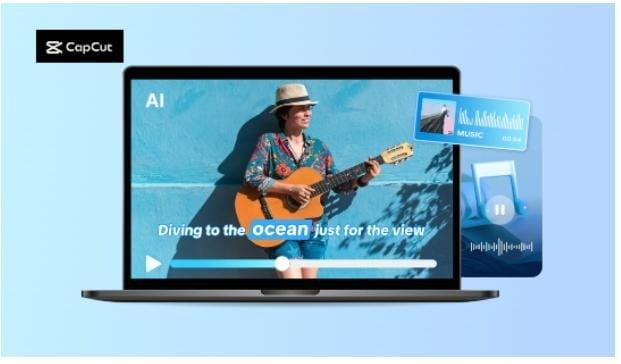
It is difficult for most artists to synchronize clips with their best music beat. Even minor timing discrepancies make a video look unbalanced or less vibrant. Manually syncing all the clips takes a lot of effort and time.
But it is not difficult anymore with CapCut Desktop Video Editor, as it is easy and fast to synchronize beats of music with clips. The software enables you to view music waveforms and includes instruments for synchronizing visuals with beats.
You can sync your videos to music beats organically without editing for a few hours. The advanced features may cost money, but the main beat-syncing tools are easy to use and effective. Let us learn how to sync your clips to music beats step by step and give your videos life.
Why Syncing Music Beats and Clips is Necessary
Syncing video clips and music beats makes your video look smoother and more appealing. When every cut is on beat with the rhythm, the audience enjoys the rhythm and is engaged longer. It applies to action scenes, travel blogs, or informative videos.
For example, a dance video looks professional when every step is on the beat. Even a short tutorial feels easy to look at if the graphics reflect sound. CapCut Desktop Video Editor renders the syncing of clips with music easy for both beginners and experts without added inconvenience.
You can see the waveform easily and place clips on the beat markers. Video creators who want to cut video pieces for quick-paced storylines can shorten clips without losing energy and emotion, or condense video [https://www.capcut.com/tools/free-video-compressor] to keep it tight and engaging.
The software also shows timeline markers and has a feature to automatically detect beats, hence syncing is made quicker and simpler. Let us discuss the tools in CapCut PC that make this process simple and accurate.
Beat Sync Tool in CapCut Desktop Video Editor
CapCut Desktop Video Editor's Beat Sync feature is convenient and simple to use when syncing videos to music. CapCut's Beat Sync will detect the beats of your audio and automatically sync your video clips or transitions to it. It avoids the tedious process of fine-tuning all your clips.
This is a great feature for any content, be it travel blogs or dance videos. It is particularly convenient for people creating video marketing [https://www.capcut.com/create/marketing-video] content. Videos used for marketing tend to depend on energy and rhythm to get noticed, and Beat Sync makes sure each cut lands nicely.
You can even manually tweak beats if you prefer. Some additional templates or effects will require an upgrade to premium, but basic beat syncing costs nothing, and no payment is required.
In the case of editing a travel video, for example, Beat Sync synchronizes transitions flawlessly with the audio and provides your video with a clean, professional appearance in mere seconds.
Steps to Sync Music Beats and Clips
Step 1: Import Music and Video Clips
Begin by downloading the CapCut Desktop Video Editor from its official website. The download and sign-up are free, although some advanced features will cost you. After installing, open the software and click "Import" to add your audio file and video segments.
Drag the video to either of the tracks of the timeline and the audio to the other. This gives a clear visual look at the sound wave and lines up the visuals. This is especially convenient for videomakers who require shortening video segments for fast stories.
Brief snippets are natural, and the beat is consistent. It's also excellent for short material like reels, where the timing of each snippet is paramount to engagement.
Image: https://www.abnewswire.com/upload/2025/10/6f638c9de15540cacba361100ff0a84f.jpg
Step 2: Enable Beat Detection and Precision Timing
Right-click on the music track on the timeline. Click on "Auto mark beats" in the right-hand menu. CapCut Desktop Video Editor will analyze the track and show beat markers along the waveform.
Drag your video clips, text, or transitions onto these markers for perfect alignment. Zoom in on the timeline with the slider at the bottom for precise positioning. You can also add effects or motion cuts on the key beats to highlight key points.
Auto beat detection saves time and maintains the video's interest. For creators of video marketing or advertisement videos, synchronized beats produce the pictures as active and broadcast-quality as in an actual music video.
Image: https://www.abnewswire.com/upload/2025/10/710ad54a7f9a958ecda1b165f5348be0.jpg
Step 3: Preview, Export, and Share
Hit Play to view your synced video. Edit clips if any timing is incorrect. When ready, navigate to Export on the top-right. Select resolution, format, and frame rate, then click Export Video.
Post it to YouTube, TikTok, or Instagram. The exported video doesn't contain watermarks and maintains high quality, ideal for creators who prefer seamless outputs like TikTok Video Editor [https://www.capcut.com/create/tiktok-video-editor] outputs.
Image: https://www.abnewswire.com/upload/2025/10/b908fffd6ecf5aa97cb8ab1477c35036.jpg
Conclusion
Syncing your video clips with music converts amateur edits into interesting and professional-looking videos. Quick or short clips look smooth and interesting when every cut is in perfect sync with the beat.
CapCut Desktop Video Editor makes it simple. Its visual beat markers and auto-sync capabilities enable you to sync clips with music with no extra effort. While the software itself can be downloaded for free from the official website, some of its advanced features come at a price.
Even the free apps have enough oomph to give great output. The time has arrived to bring your idea to life. Download CapCut Desktop Video Editor today, start syncing your beats and visuals, and create videos that command attention, tell stories, and come to life.
Media Contact
Company Name: Capcut
Contact Person: William Johnson
Email:Send Email [https://www.abnewswire.com/email_contact_us.php?pr=the-simplest-way-to-sync-music-beats-and-clips-in-capcut-desktop-video-editor]
City: New York
Country: United States
Website: https://www.capcut.com/
Legal Disclaimer: Information contained on this page is provided by an independent third-party content provider. ABNewswire makes no warranties or responsibility or liability for the accuracy, content, images, videos, licenses, completeness, legality, or reliability of the information contained in this article. If you are affiliated with this article or have any complaints or copyright issues related to this article and would like it to be removed, please contact retract@swscontact.com
This release was published on openPR.
Permanent link to this press release:
Copy
Please set a link in the press area of your homepage to this press release on openPR. openPR disclaims liability for any content contained in this release.
You can edit or delete your press release The Simplest Way to Sync Music Beats and Clips in CapCut Desktop Video Editor here
News-ID: 4226118 • Views: …
More Releases from ABNewswire

Patio Elegance Brings Commercial-Grade Outdoor Kitchens and European Wellness De …
Patio Elegance establishes new standards for outdoor living by offering exclusively commercial-grade products built for decades of performance. The comprehensive collection spans professional kitchen islands and grills, authentic Lithuanian saunas, therapeutic cold plunges and jacuzzis, elegant gazebos, entertainment mancaves, and premium furniture all unified by European design excellence and institutional durability.
The outdoor living industry has long suffered from a quality gap, with most residential products failing to deliver the durability…

Andatel Grande Patong Phuket: Full Renovation Complete, Reopens Late March 2026
Andatel Grande Patong Phuket property: 122-room hotel across three buildings with iconic Olympic-size pool between two guest buildings, completely renovated after six-year COVID closure addressing extensive mold damage, all rooms 24 square meters with identical furniture/design.
PATONG, Phuket, Thailand - One of the best Andatel Grande Patong Phuket option in Phuket that is booked on Booking.com, Agoda, Hotels.com and more with free cancellation until 48 hours of check-in date that doesn't…

Insulin Resistance Pipeline 2025: Therapies Under Investigation, Clinical Trials …
(Las Vegas, Nevada, United States) As per DelveInsight's assessment, globally, Insulin Resistance pipeline constitutes 8+ key companies continuously working towards developing 10+ Insulin Resistance treatment therapies, analysis of Clinical Trials, Therapies, Mechanism of Action, Route of Administration, and Developments analyzes DelveInsight.
"Insulin Resistance Pipeline Insight, 2025" report by DelveInsight outlines comprehensive insights into the present clinical development scenario and growth prospects across the Insulin Resistance Market.
The Insulin Resistance Pipeline report embraces…

Caliente Brands Targets Niche Spice Market with Hickory-Smoked Beef Jerky Line F …
Caliente Brands, LLC capitalizes on growing consumer demand for authentically spicy snacks with a specialized beef jerky line that puts heat first. Using only 100% USDA Approved Beef and hickory smoking techniques, the veteran-owned company offers distinctive flavors including innovative Spicy Birria alongside traditional options, all designed to deliver the brand promise that smoky and spicy meet delicious.
Caliente Brands, LLC has strategically positioned itself to serve a niche but substantial…
More Releases for CapCut
How to Create a CapCut Template in 2026: A Complete Creator's Playbook
Image: https://www.abnewswire.com/upload/2026/02/4e061e81741ac5e16f33937c9ebbf9c8.jpg
Designing your own CapCut templates is no longer just a "nice-to-have" skill. In 2026, templates are one of the fastest ways to edit consistently, protect your visual identity, and scale content production without burning out.
This in-depth guide walks you through how to build CapCut templates from the ground up, whether you are editing on mobile or desktop. You will also learn how to structure reusable workflows, avoid common mistakes,…
CapCut Is Basically the Cheat Code for Making Videos That Don't Look Boring
Let's face it, video is everything right now. TikTok, Instagram Reels, YouTube Shorts, even presentations and ads all live or die by how good the video looks. The problem? Not everyone has the time (or patience) to learn complicated editing software. That's where CapCut steps in, and honestly, it kind of changes the game.
CapCut isn't just another video editor. It's the tool that lets everyday creators, small businesses, students, and…
From"Meh" to "Wow", How CapCut Turns Regular Clips into Scroll-Stopping Videos
We've all been there. You record a video, play it back, and think... "Okay, this is fine. But it's not wow." The truth is, raw footage almost never looks exciting on its own. The magic happens in the edit, and that's exactly where CapCut shines.
CapCut is the editing platform that turns average clips into attention-grabbing content without turning your brain into mush. It's fast, fun, and packed with tools that…
CapCut Pro APK Download Updated Release Premium Video Editing Unlocked at CapCut …
Image: https://www.abnewswire.com/upload/2025/10/2febb3365af81cea2fc059663f6cd3eb.jpg
Smartphones have become today's most powerful creative tools - and CapCut Pro is leading that revolution. The upgraded CapCut Pro APK [https://capcut.pro.in/] transforms everyday clips into cinematic stories through advanced transitions, AI-driven effects, and a lightning-fast editing engine.
At CapCut.pro.in, we host the official CapCut Pro APK Download - safe, updated, and designed for creators who refuse limits.
Why CapCut Pro Matters
Content creation has shifted from desktop to handheld. Yet, most…
Capcut AI Background Generator That Creates Transparent Stickers
China, Shenzhen - Online communication has incorporated digital stickers as an important element. You find them on social media, messaging applications, and creative edits. Stickers bring character and fun to talks. They are interesting because they help to visualize ideas. Transparency is necessary to make stickers flexible. Stickers stored as PNG files can be placed on any background without being noticed.
The AI background generator [https://www.capcut.com/tools/ai-background-generator] of CapCut Web simplifies this…
Transforming Imagination into Reality with Capcut AI Image Generators
China, Shenzhen - For many years, people dreamed of turning imagination into real pictures with just a few words. Today, this dream has come true thanks to advanced tools like the AI image generator [https://www.capcut.com/tools/ai-image-generator]. With these tools, anyone-whether a student, artist, marketer, or business owner-can create stunning visuals without needing expert design skills.
AI image generators are not only powerful but also easy to use. With a simple description or…

