


Press release
mirabyte® Announces FrontFace™ 2 – The New, Intuitive User Interface for All Versions of the Windows Operating System
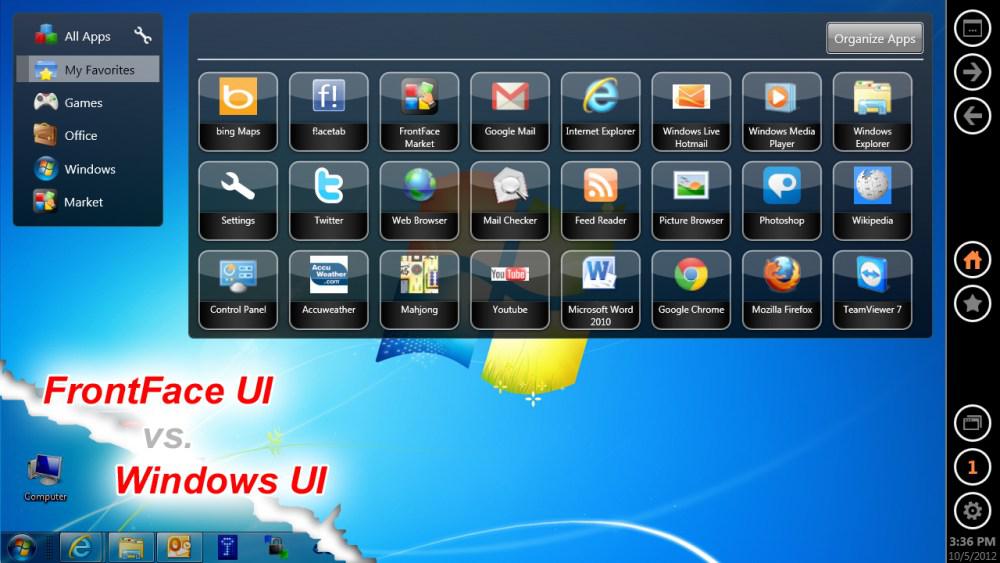
FrontFace 2.5 User Interface
FrontFace 2 – At a Glance:
- Improved user experience, for both touchscreen and normal computers
- Simplified app switching (full multi-tasking support), also available for any existing Windows application
- Fully customizable start page with interactive widgets
- Users can customize the UI according to their personal preferences
- Support for integrated, native FrontFace apps, Windows applications and Web apps in one single user interface
- Optimized access to the Windows Start Menu, Desktop and user documents
- Integrated FrontFace Market portal for downloading new apps and widgets for free
- Compatible with all common Windows versions (XP, Vista, 7 and 8)
- Windows 8 alternative for users that want to stay with their current Windows version but look for a modern (touch-friendly) user interface
- Improved interaction with classic desktop applications on Windows 8
- Clean installation and totally risk-free: No permanent changes or tweaks are being applied to the underlying Windows system configuration
FrontFace 2 – The new user interface for Windows PCs
The classic Windows user interface helps users to work very productively but when it comes to touchscreen computers or when less-experienced people work with Windows, the deficits of the UI turn out like tiny buttons and too much overall complexity. FrontFace is an all-new, intuitive user interface for Windows that has the solution: “With FrontFace we address users that on the one hand want to stick to their current Windows version instead of moving to Windows 8, but on the other hand look for a stylish and intuitive user interface.“ said Dr. Joachim Schwieren, CEO of mirabyte. “Although touchscreen devices are in the main focus of FrontFace, the software also suits very well for less experienced PC users and even professionals that want a fully customizable user experience!“
FrontFace 2 – User Experience
Especially when working with a touchscreen-enabled computer like a tablet PC or an all-in-one PC the Windows user interface is not very handy at all. Even on Windows 8, only the new “modern UI” applications explicitly address touchscreens while the classic desktop remains more or less the same as in Windows 7 and previous versions. FrontFace 2 brings a great-looking and highly touch-optimized user interface for all Windows versions, ranging from Windows XP to the latest Windows 8. It supports native FrontFace applications like a custom Web-browser, a picture viewer and many more along with normal Windows desktop applications and Web apps in one single interface. There is no need to switch between different UIs like in Windows 8!
FrontFace SELECT for business, OEM and custom enterprise applications:
A highly customizable version of FrontFace for professional applications is also available: FrontFace SELECT. This version of FrontFace can be fully customized and tweaked to perfectly fit for the use on kiosk systems, self-service terminals or special-use PCs as typically seen in the business, logistics and health-care field. Additionally, FrontFace SELECT allows OEMs to create a customized and even re-branded version of the software for redistribution on their PC systems, tablets or netbook computers.
FrontFace 2 – Core features:
- Customizable start page with interactive widgets
- Custom user interface themes are available
- Integrated touch-optimized Web browser (Internet Explorer, Chrome or Firefox can be used alternatively as default browser, too)
- Support for USB mass storage devices and digital cameras
- Integrated notification center for aggregated system information, RSS and social network updates
- Support for Windows system tray applications
- A global, application-specific context menu for common commands like copy, paste, new, save, etc. increases productivity, even for applications that are not touchscreen-optimized!
- Optimized access to Windows Start Menu, Desktop and user documents
- Integrated FrontFace Market portal for downloading new apps and widgets for free
- Built-in “Windows mode” for direct access to the classic Windows desktop or modern UI apps (in Windows 8) with additional accessibility tools for touchscreens
- Multi-language support. FrontFace 2 will initially be available in English and German. More languages are following shortly.
Availability and Pricing
The latest version – FrontFace 2 – has been heavily enhanced and improved, compared to FrontFace 1.x, based on a lot of customer feedback. It is immediately available for purchase at $39.95 from the mirabyte Website. The price includes free updates for all upcoming versions and free support for life-time! Users of FrontFace 1.x get the new version for free as well. FrontFace SELECT, a modular and customizable version of FrontFace is also available for business use, OEM and for custom enterprise applications. A fully functional trial version can be downloaded from the mirabyte Website.
Web Page: http://www.mirabyte.com/en/products/frontface/
mirabyte ® is an independent software vendor (ISV) based in Hamm, Germany with products and services ranging from Web technologies, mobile solutions, innovative user interfaces, digital signage to professional enterprise communication solutions and information logistics applications. mirabyte solutions and products are used worldwide by clients from various sectors. In addition to that, mirabyte also offers technology consulting and training in the context of the Microsoft .NET platform.
mirabyte GmbH & Co. KG
Mrs. Daniela Schwieren
Geisthofskönig 12
D-59071 Hamm
(Germany)
Mail: press@mirabyte.com
This release was published on openPR.
Permanent link to this press release:
Copy
Please set a link in the press area of your homepage to this press release on openPR. openPR disclaims liability for any content contained in this release.
You can edit or delete your press release mirabyte® Announces FrontFace™ 2 – The New, Intuitive User Interface for All Versions of the Windows Operating System here
News-ID: 239870 • Views: …
More Releases from mirabyte GmbH & Co. KG
FrontFace Lockdown Tool – a free utility for locking down and protecting Windo …
FrontFace Lockdown Tool - Protection and Configuration for Windows-based Kiosk Terminals and Public Use PCs
Due to the high flexibility and the broad range of available applications, the Microsoft Windows operating system is often preferred not only for common office and workstation PCs but also for special-use PCs, such as public kiosk terminals or embedded PCs that are typically used for digital signage applications.
Even though there is also a special…
The leading solution for creating professional CD menus: mirabyte announces Disc …
mirabyte Software announces the immediate availability of Discstarter 6, the newest version of its award-winning tool for creating professional looking CD menus and front-ends for CD-ROMs, DVD-ROMs and USB portable media. Discstarter is successfully used for years by many major companies around the world and has become the de facto standard for menus of cover mount CDs published by IT and computer magazines.
Version 6.3.0 comes with a completely new…
mirabyte fights Information Overflow with the Enterprise Communications and Noti …
Business Messenger 2.0 by mirabyte software is an easy to use solution for distributing important information like corporate news streams, real-time notifications or alerts to employees. The software is able to access a wide range of information sources such as RSS news feeds, e-mail accounts, XMPP instant messaging as well as Twitter. News and notifications can be displayed in various ways such as desktop news ticker bars, toast notifications or…
Windows 8 Tablet functionality today already available for Windows 7
Many hardware vendors such as Toshiba, Gigabyte, Futjisu or Asus have shown new Windows 7 based tablet computers at Computex in Taipei. While Windows 7 is not very well optimized for touch screen interaction, Microsoft has confirmed not to provide a solution for this until the release of Windows 8 for ARM processors which – that is another downside – will not be able to run existing Windows x86 applications…
More Releases for Windows
Identify Hidden Opportunities of Energy Efficient Window Market | Crestline Wind …
A latest study released by HTF MI on Global Energy Efficient Window Market covering key business segments and wide scope geographies to get deep dive analysed market data. The study is a perfect balance bridging both qualitative and quantitative information of Energy Efficient Window market. The study provides historical data (i.e. Volume** & Value) from 2013 to 2018 and forecasted till 2025*. Some are the key & emerging players that…
Feb 22, 2018: Soundproof Windows Market Manufacturers Milgard, Soundproof Window …
QY Research Store Recently added detailed market study on the "Global Soundproof Windows Market Research Report 2018-2025" which provides an outlook of current market value of Soundproof Windows Market as well as the expected forecast of Rate on Investment (ROI) with growing CAGR of XX% in Soundproof Windows Market by the end of 2025. The report on the global Soundproof Windows market uses the top-down and bottom-up approaches to define,…
2017 Windows and Doors in Qatar with Detail - Market Value By Domestic Productio …
"Windows and Doors in Qatar to 2017: Market Databook" The Report covers current Industries Trends, Worldwide Analysis, Global Forecast, Review, Share, Size, Growth, Effect.
Description-
Synopsis
Timetrics 'Windows and Doors in Qatar to 2017: Market Databook' contains detailed historic and forecast market value data for the windows and doors market in Qatar, including data for domestic production, supply balance, existing stock, imports and exports. Review and forecast data is included for categories of…
Energy Efficient Windows Market by Glazing Type : Double Glazing Windows and Tri …
Albany, NY, 14th FEB : Nations are ramping up their efforts to reduce their carbon emissions by as much as possible in the light of the exceeding levels of pollution and resource depletion across the world. Countries such as China, the U.S., and Russia have all set environment conservation goals for their lands, aiming for as much as 40% to 45% carbon footprint reduction by 2020, as set by China.…
Perle Multimodem Cards awarded Windows 8 and Windows Server 2012 certification
NASHVILLE, TN—January 24th, 2013— Perle Systems, the global developer and manufacturer of device connectivity solutions announces Windows 8 and Windows Server 2012 certification for PCI-RAS Multimodem Cards. Perle is the first company to receive 32-bit and 64-bit Windows 8 and Windows Server 2012 certification for Multimodem Cards in the industry.
“Perle Systems PCI-RAS Multimodem cards provide an easy to administer dial-in/dial-out solution for remote workers and customers.” comments Julie McDaniel,…
serVonic’s UC-Solutions for Windows 8 and Windows Server 2012
serVonic’s Unified Communications solutions for Windows 8 and Windows Server 2012: IXI-UMS Unified Messaging Server 5.90 and IXI-PCS Professional Call Server 1.21 as always are reliable and professional. “We have tested our software solutions with the new Microsoft operating systems extensively,” says Jochen Klein, CEO at serVonic. “As expected, the current versions of IXI-UMS and IXI-PCS – server- as well as client-side – work perfectly to the full extent.“ All…
